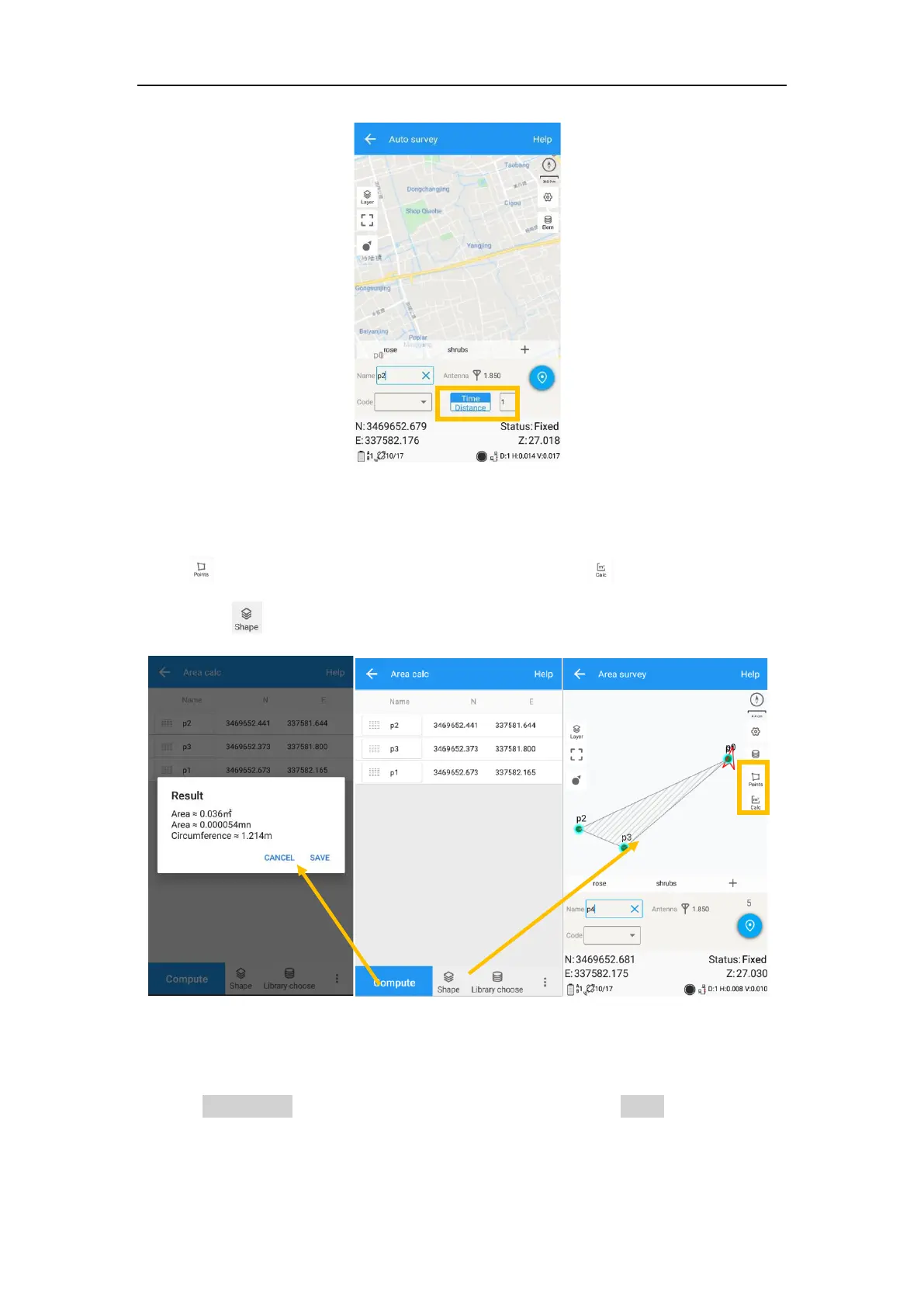
For Area survey, it can compute area directly after getting points.
Press , it will show the coordinate information, press , it will show the area
result, press , it will show the shape on map.
6.3 Stake points/lines
Go into Stake point interface, click to choose a point and tap Stake. Survey Master
provides a navigation map when staking points/lines. If you are close to the target
point enough, it will alarm you based on the alarm range you set.



 To Next Page