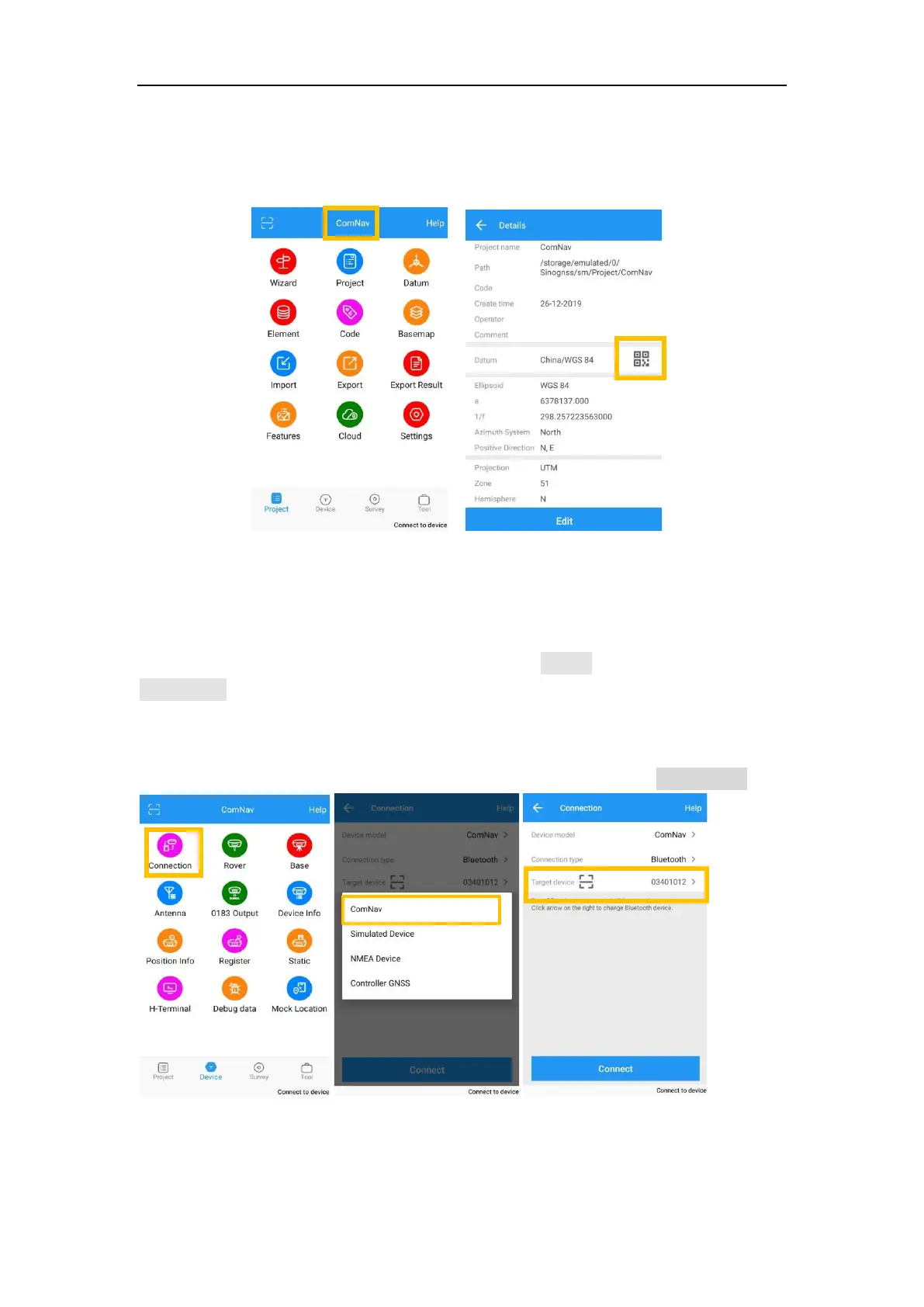
⚫ Share Datum via QR code.
⚫ After you build a project, press the project name, it will generate a QR code.
Users can use the Scan function in the main interface to access the coordinate
system.
5.4 Bluetooth connection
To connect Survey Master with T300 PLUS, switch to Device interface, tap
Connection to go into Bluetooth connection interface.
⚫ Make sure device Bluetooth turned on;
⚫ Click Find device—select SN of your T300 PLUS receiver—allow pair
After connect ComNav receiver, you can check the device version in Device Info.



 To Next Page