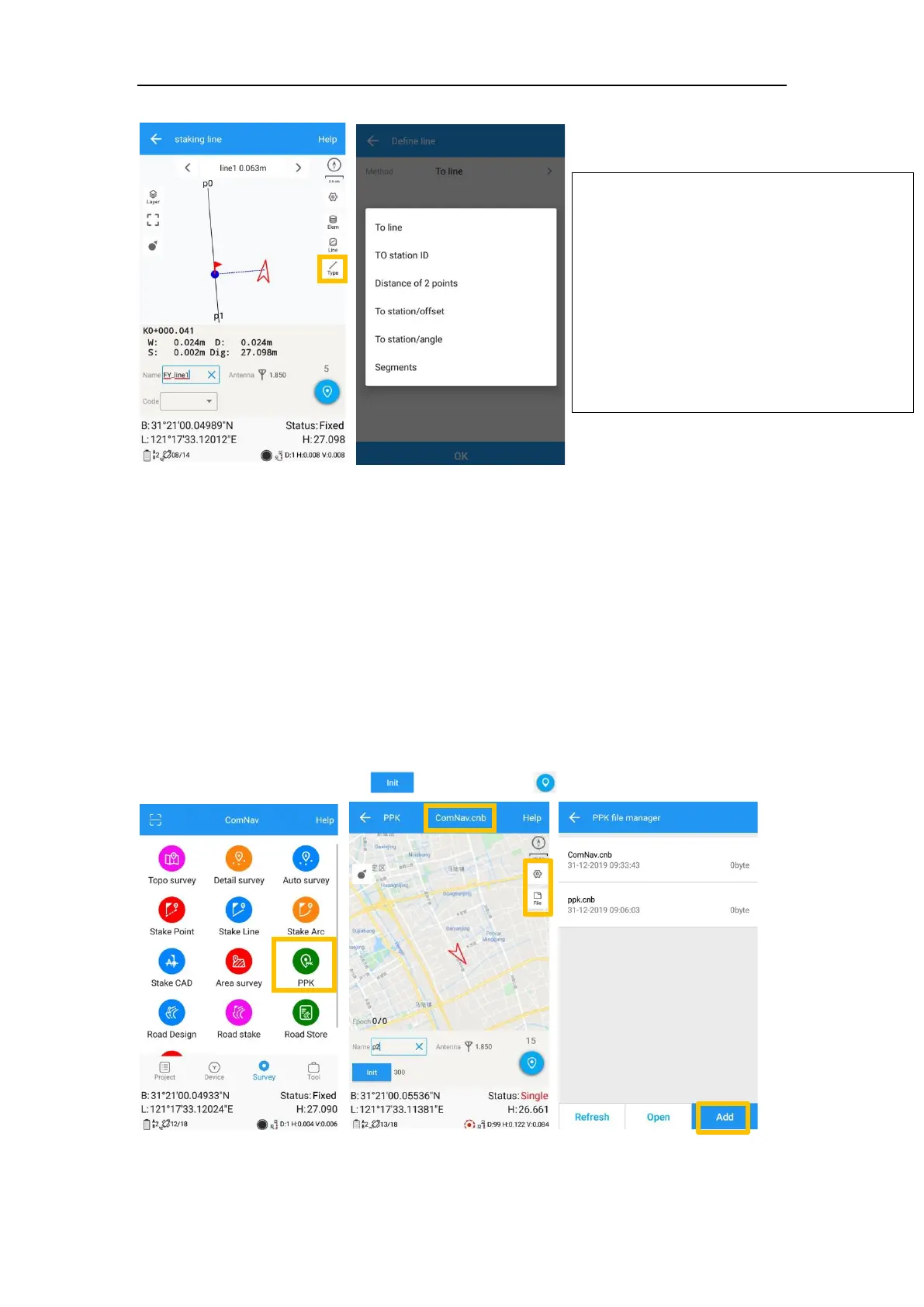
6.4 PPK
PPK (post processing kinetic) is the unique function of survey master, which is used
for post-processing dynamic measurements.
It also needs two receivers to work together, one work as Base to record static data,
and another one work as Rover as shown below.
1. Click PPK in survey interface -> choose or create a PPK file.
2. Go to settings, configure PPK settings based on your requirements.
3. To get stable epoch, click to initialize -> to start PPK survey.
• To line: show shortest way to find a
point on line;
• To station ID: stake points on line by
defined interval;
• Distance of 2 points: show distance
of current location to the line’s start
point and end point;
• Segment: Stake on line by defined
segment value.



 To Next Page