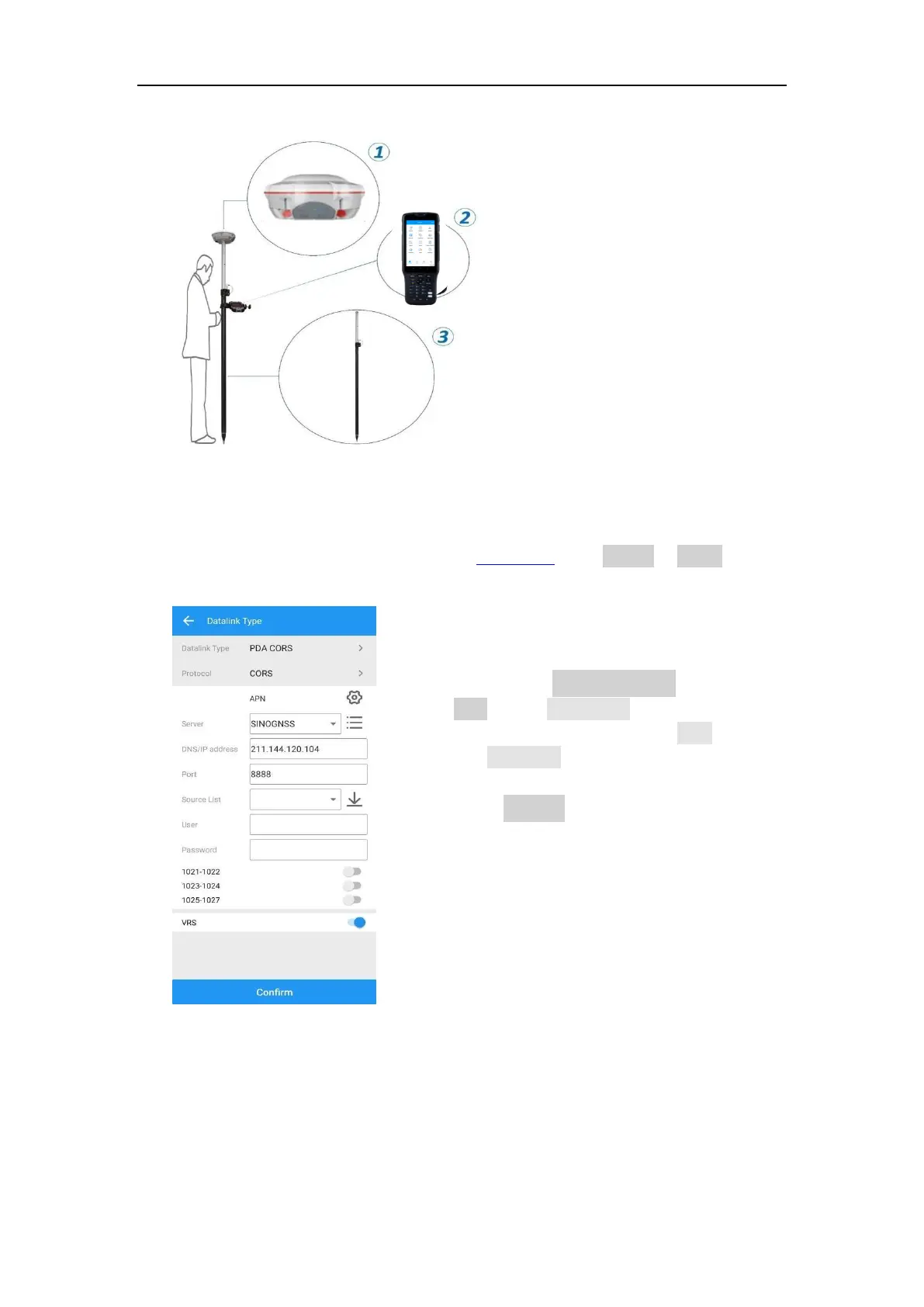
○
1
A T300 PLUS receiver
○
2
A controller with SIM card and
software
○
3
A range pole with bracket
Configure the Rover as below:
⚫ Make sure your controller can access to internet via SIM card or Wi-Fi, then
run Survey Master Software.
⚫ Build Bluetooth connection as shown in chapter 5.4, Click Device -> Rover ->
PDA CORS.
• Enter CORS DNS/IP address and
port-> Click Source List and select
the proper source -> enter User
and password.
• After Confirm succeed, the diff
LED (yellow) on receiver will flash,
and software can get a fixed result.
• It also provides TCP protocol.
5.8 Internal GPRS Mode
For Internal GPRS mode, T300 PLUS receiver supports Point to Point/Points and Ntrip
client mode. To acquire the APN (access point number) from the mobile service
provider, you need to insert a SIM card into the T300 PLUS receiver. It commonly
acquires the APN from the mobile network provider, otherwise try to get via the link:



 To Next Page