79
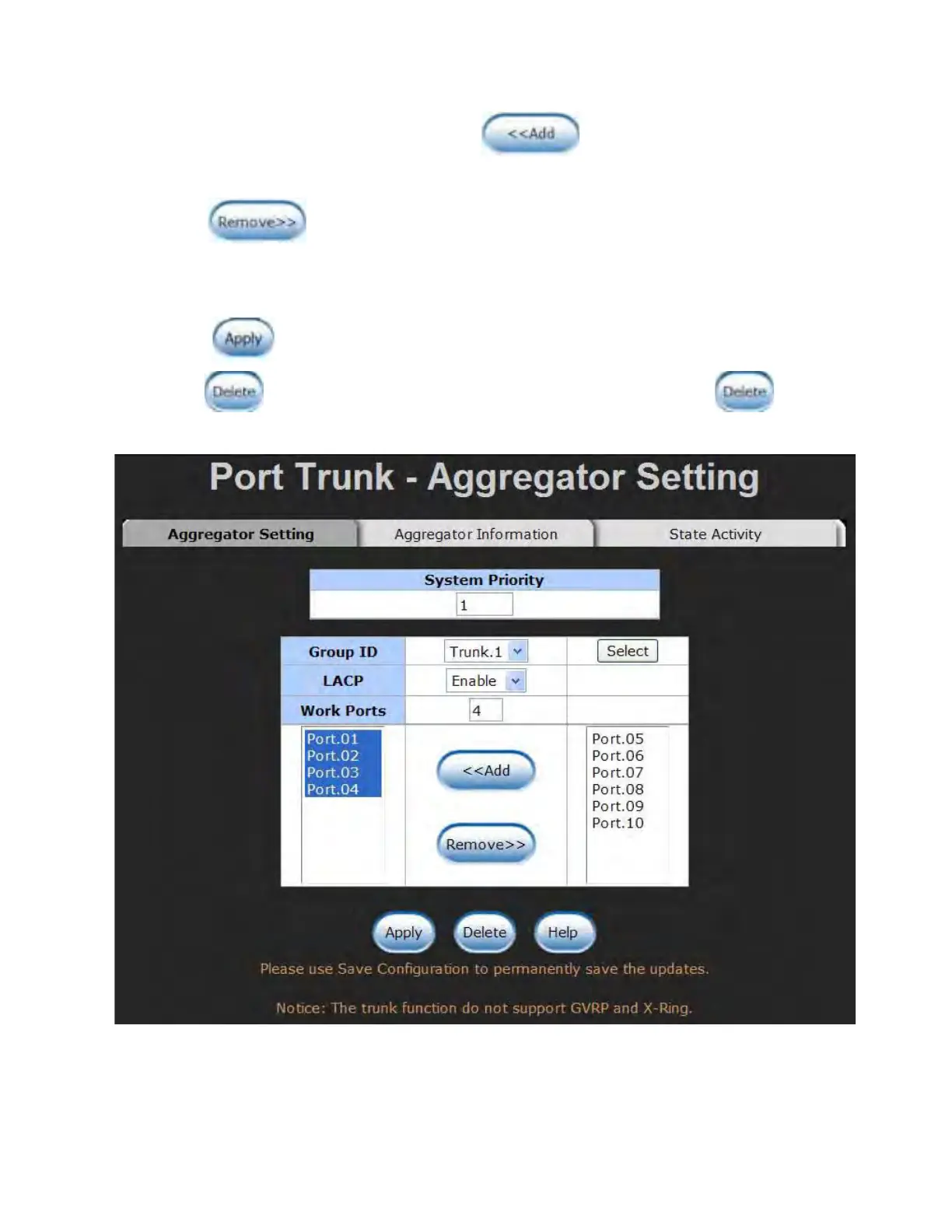
be aggregated in a trunk group. Click and the ports focused in the right
side will be shifted to the left side. To remove unwanted ports, select the ports and
click .
When LACP enabled, you can configure LACP Active/Passive status for each port on
the State Activity tab.
Click .
Use
to delete Trunk Group. Select the Group ID and click .
Port Trunk—Aggregator Setting interface (four ports are added to the left field with LACP enabled)



 To Next Page