Removable Drives
Hardware Guide 5–13
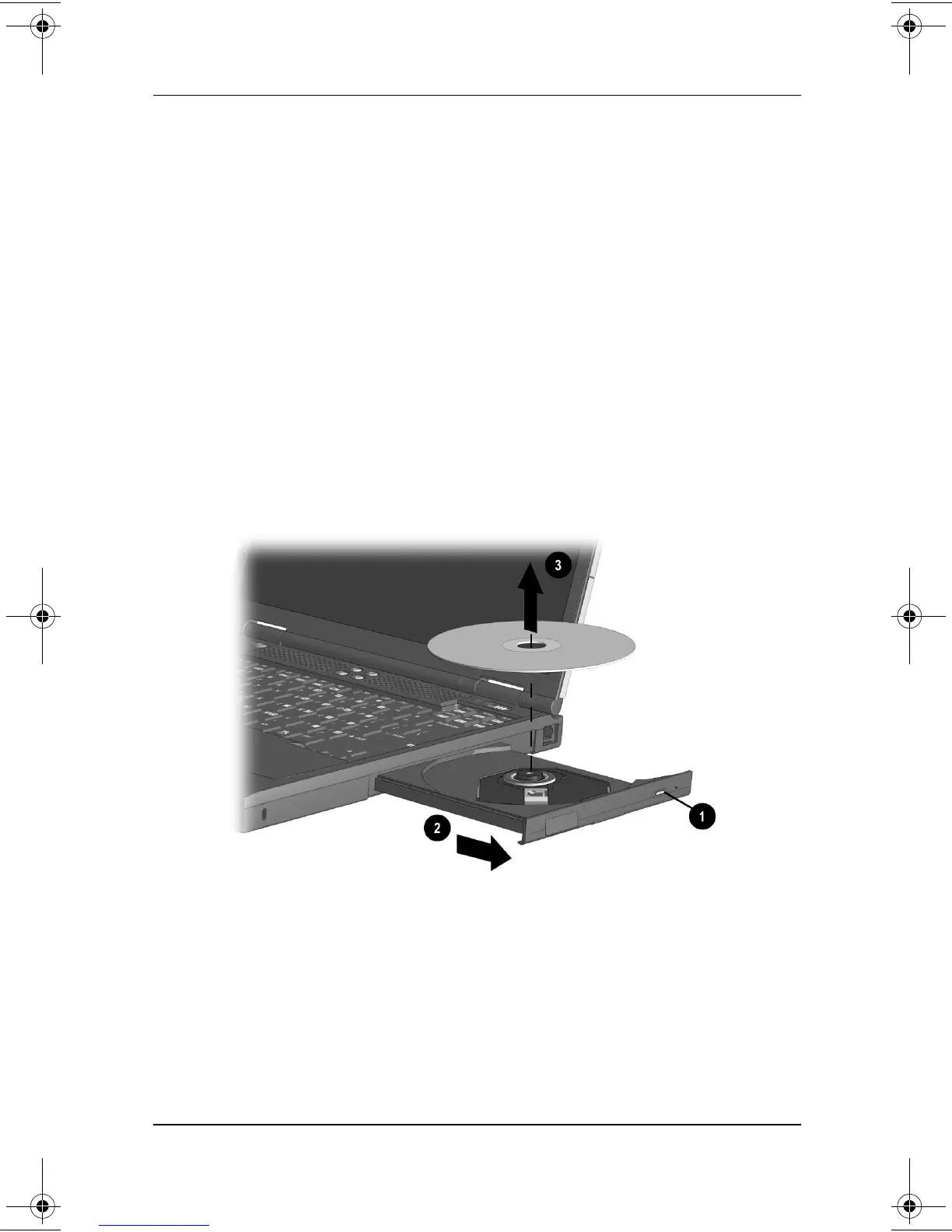
Removing a CD, CD-RW or DVD (Power)
If power is available:
1. Turn on the computer.
2. Press the release button
1
on the drive bezel to release the
media tray, then pull the tray outward until it is fully
extended
2
.
3. Remove the disc from the tray
3
. (If the media tray is not
fully extended, tilt the disc as you remove it.) Handle the disc
by the edges, not the flat surfaces. To protect the disc, place it
in a protective case.
4. Close the media tray.
Removing a disc from a CD or DVD drive while power is
available
229045-002.book Page 13 Friday, September 21, 2001 11:16 AM

 To Next Page
 Loading...