Setting up C-Pilot EVO
When you turn the device on for the first time, you need to configure some parameters that control
the operation of C-Pilot EVO. The device will store your settings. From the main menu, you can
access the most important configuration options by pressing the “configuration” button.
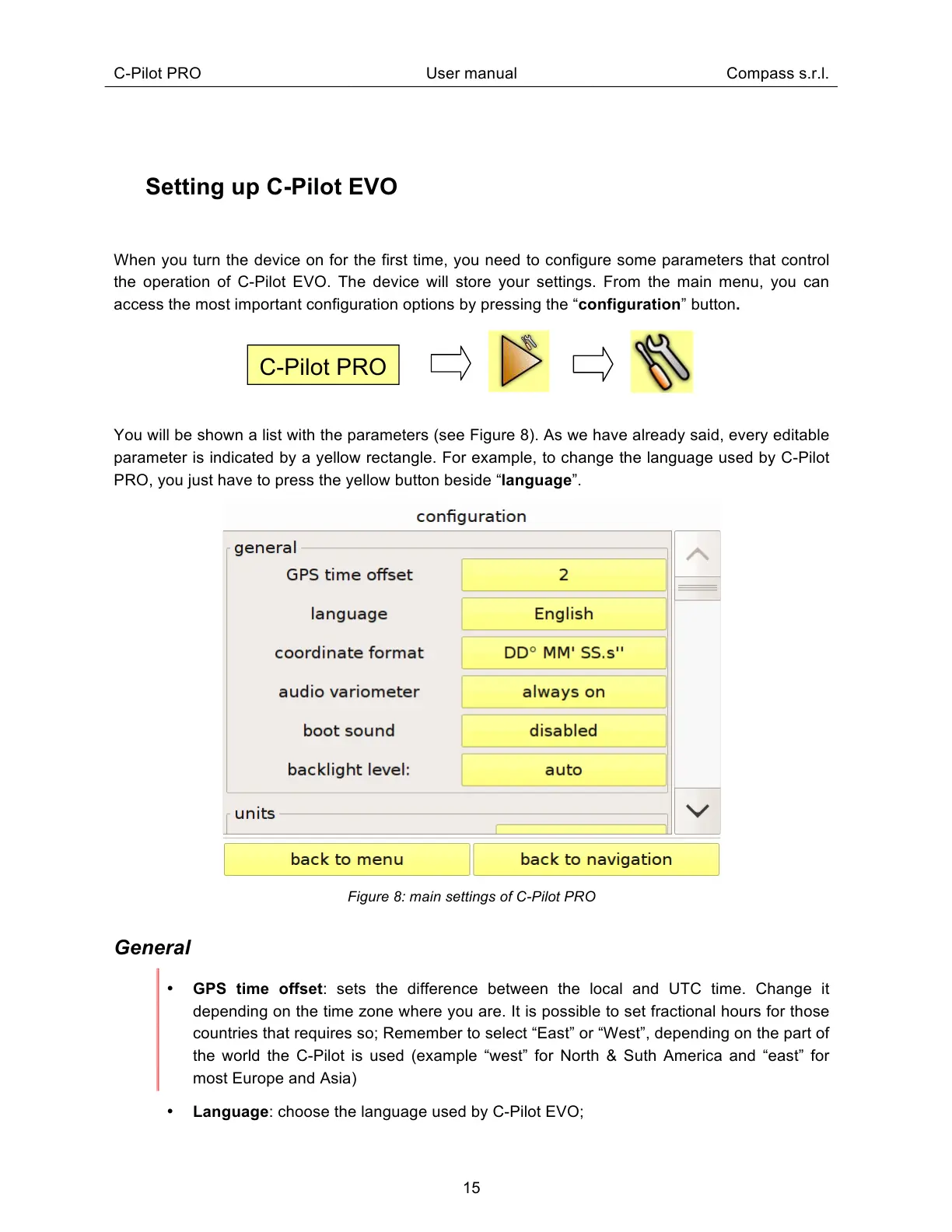
You will be shown a list with the parameters (see Figure 8). As we have already said, every editable
parameter is indicated by a yellow rectangle. For example, to change the language used by C-Pilot
PRO, you just have to press the yellow button beside “language”.
Figure 8: main settings of C-Pilot PRO
General
GPS time offset: sets the difference between the local and UTC time. Change it
depending on the time zone where you are. It is possible to set fractional hours for those
countries that requires so; Remember to select “East” or “West”, depending on the part of
the world the C-Pilot is used (example “west” for North & Suth America and “east” for
most Europe and Asia)
Language: choose the language used by C-Pilot EVO;



 To Next Page