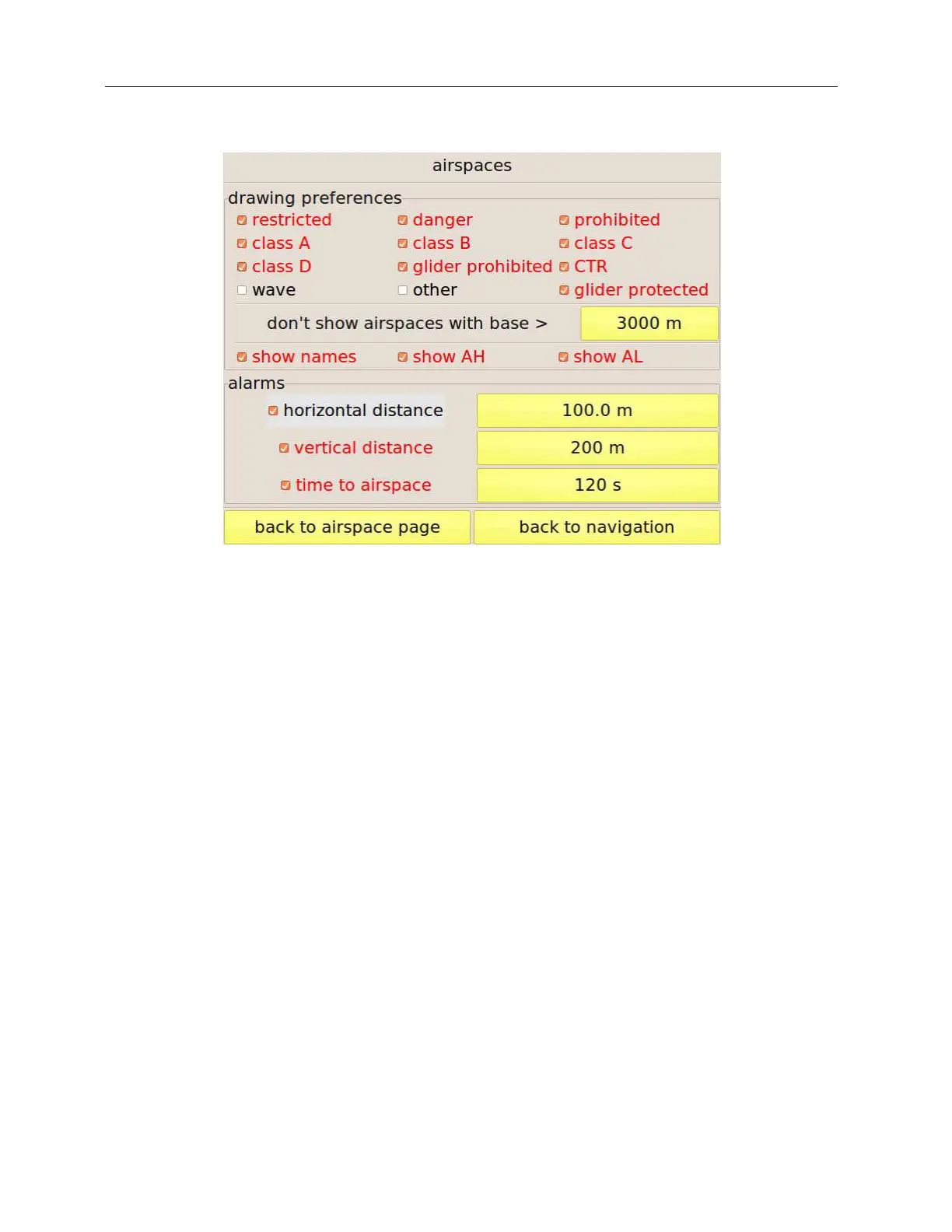
Figure 30: configuration of the map drawing options and of the proximiti alarms.
Drawing options
This page allows choosing the airspaces to be shown on the map based on their class. To avoid
cluttering the map, you can also hide airspaces having their base higher than a threshold
customisable by means of the button on the right of “don’t show airspaces with base >” if you
think that your flight will be at lower altitudes. You can also choose to show on the map any
combination of the airspace name, its base and its top altitudes.
Alarms
Three kinds of alarms can be enabled:
Horizontal distance: this warning is triggered when your horizontal distance to any of the
airspaces in use drops below the threshold set by the button on the right.
Vertical distance: this warning is triggered when your vertical distance to any of the
airspaces in use drops below the set threshold and you are directly below it.
Time to airspace: depending on your flight direction and speed, C-Pilot EVO estimated the
time that it will take to enter in one of the close-by airspaces. If the calculated time is smaller
than the threshold an alarm is triggered.
If any alarm triggers, if a display is associated to the “airspace” condition (see page 49) and if the
display selection is in automatic mode (see page 8), C-Pilot EVO will show the selected display.



 To Next Page