Waypoint management
C-Pilot EVO can store several waypoints, ready to be used to define a competition task or to
navigate to one of them. Waypoint data can be entered manually on the device or loaded from a file
in the USB memory by using the waypoint-management page.
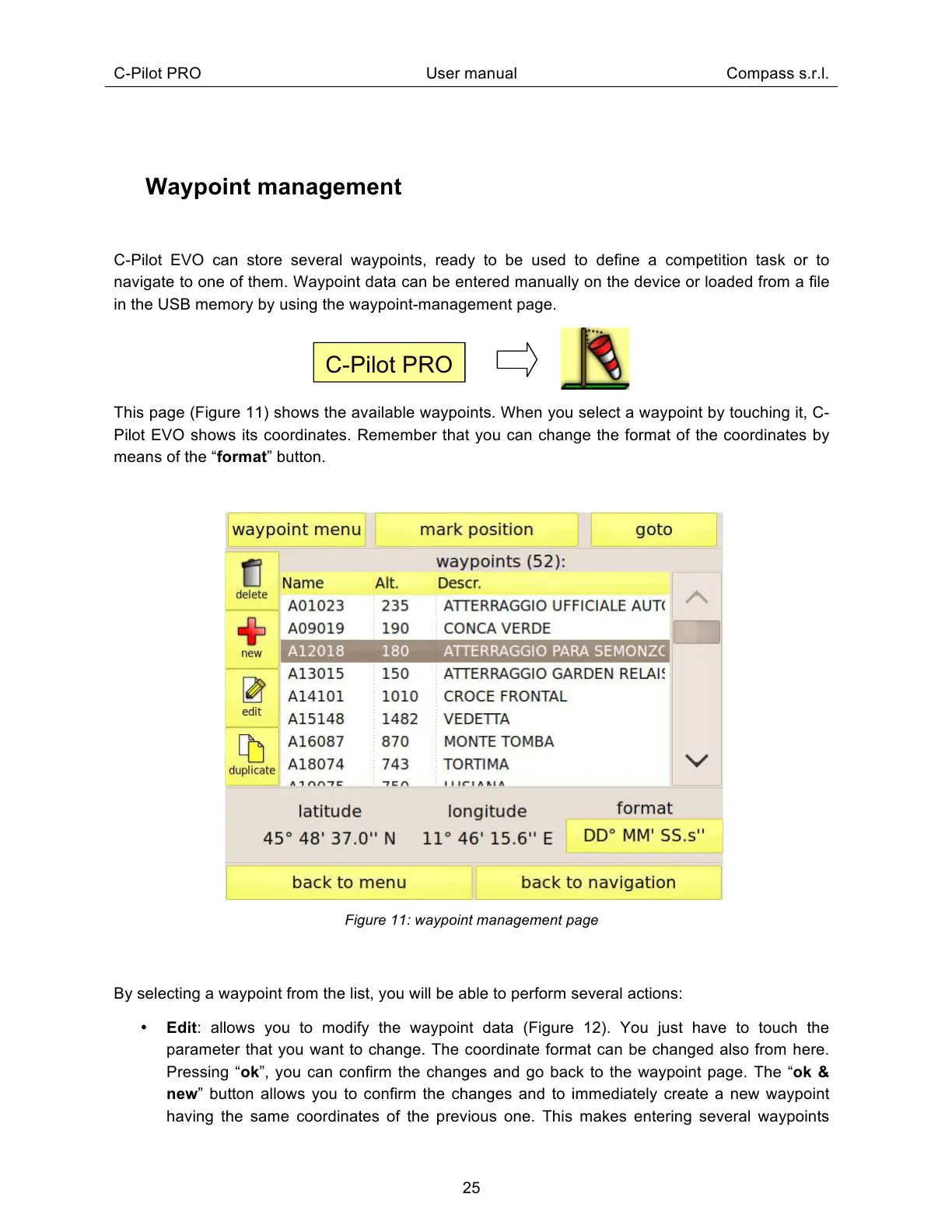
This page (Figure 11) shows the available waypoints. When you select a waypoint by touching it, C-
Pilot EVO shows its coordinates. Remember that you can change the format of the coordinates by
means of the “format” button.
Figure 11: waypoint management page
By selecting a waypoint from the list, you will be able to perform several actions:
Edit: allows you to modify the waypoint data (Figure 12). You just have to touch the
parameter that you want to change. The coordinate format can be changed also from here.
Pressing “ok”, you can confirm the changes and go back to the waypoint page. The “ok &
new” button allows you to confirm the changes and to immediately create a new waypoint
having the same coordinates of the previous one. This makes entering several waypoints



 To Next Page