3. Manual Navigation
If you want to navigate a declared triangle, or to fly to precise turn points you can select manually
the FAI1 and FAI2 Turn Points.
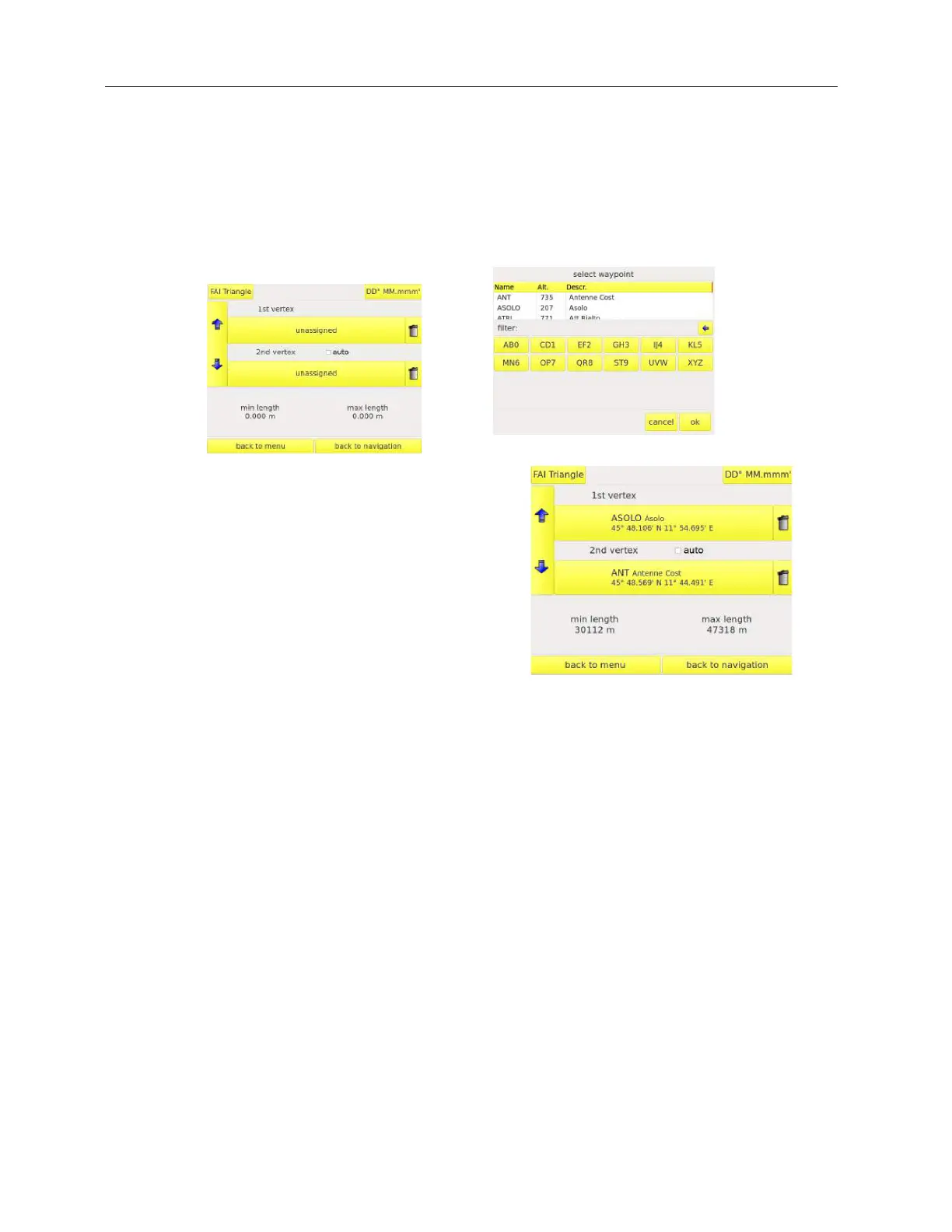
Enter in the FAI triangle menu and do not select the AUTO mode. Press the Vertex 1 button
“UNASSIGNED” . The waypoint list will appear.
select a waypoint and confirm it by the button “OK”
Repeat the procedure for the Vertex FAI 2.
Now you can notice that the instrument displays the min
and max triangle leggings possible.
remember to START NAVIGATION.
The instrument will display the triangle and the waypoints as soon as it will 3D fix satellites.



 To Next Page