to-goal tasks, after start validation, it shows the start opening time.
Goal validation time: this is the time when you have successfully completed the speed
section of the task.
Task duration: this is the difference between the goal validation time and the start
validation time.
Distance flown: distance, projected onto the task route, from the start to the current
position (or to the landing place).
Average velocity: average velocity along the task route.
Maximum altitude: maximum altitude above mean sea level attained during the flight.
Maximum climb speed and Maximum sink speed: maximum vertical velocities recorded
during the flight.
Configuration: opens an additional page that allows configuring the flight logs.
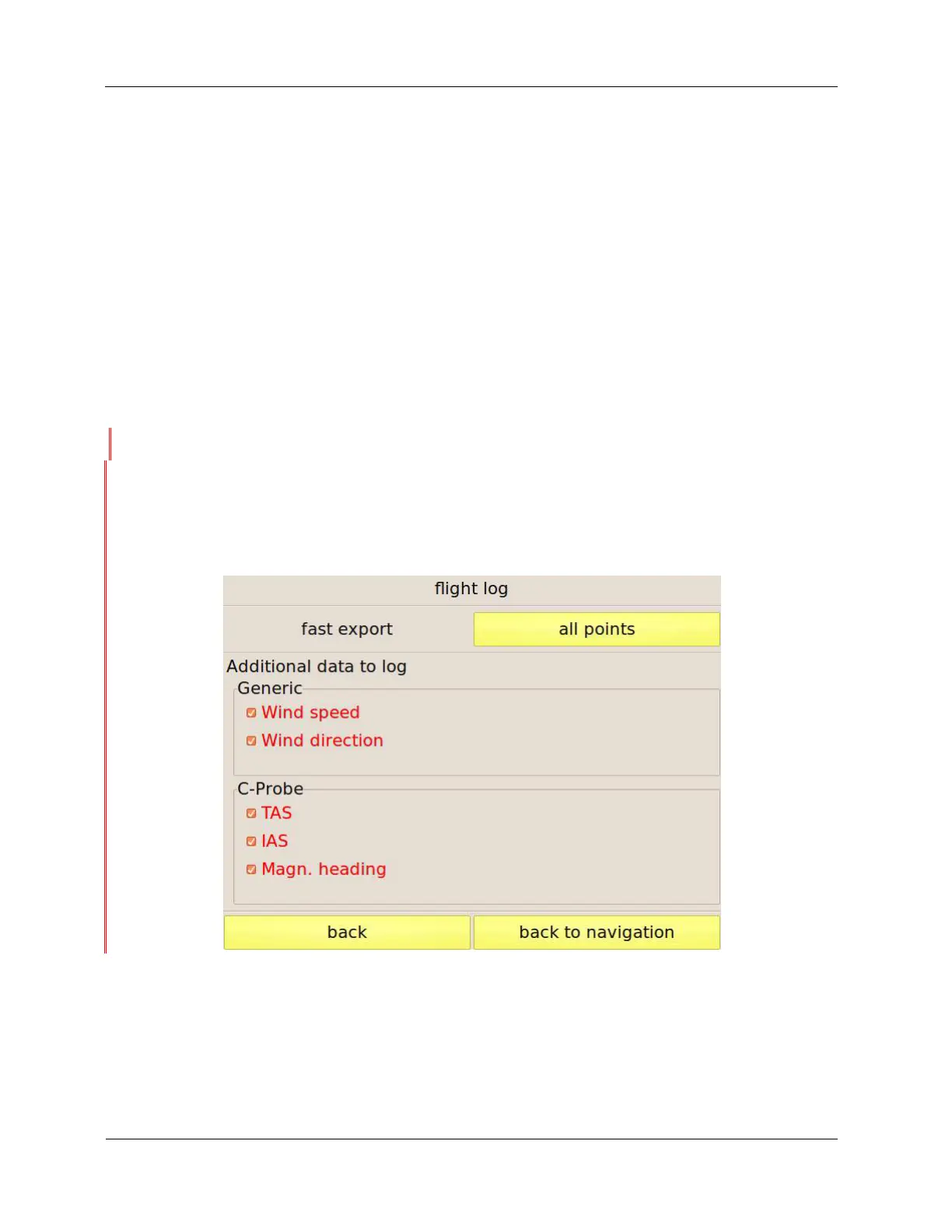
Flight log configuration
This page, shown in Figure 42, allows selecting some export options and which additional data are
saved in your logs.
Figure 42: flight-log configuration page
Fast export: C-Pilot EVO stores your track with a resolution of five points per second. If you do not
need to produce IGC files with such a high resolution, you can reduce the number of track points
exported by selecting this option. Setting one point every 20 seconds, for example, you can
download very long flights in few seconds with reduced resolution.
When downloading a track log stored while a task was active, C-Pilot PRO will download the most



 To Next Page