Polar curve
Entering a realistic polar curve of your wing allows C-Pilot EVO to perform precise calculations of
the speed-to-fly theory by McCready and arrival altitudes at turnpoints. From the “set up” menu,
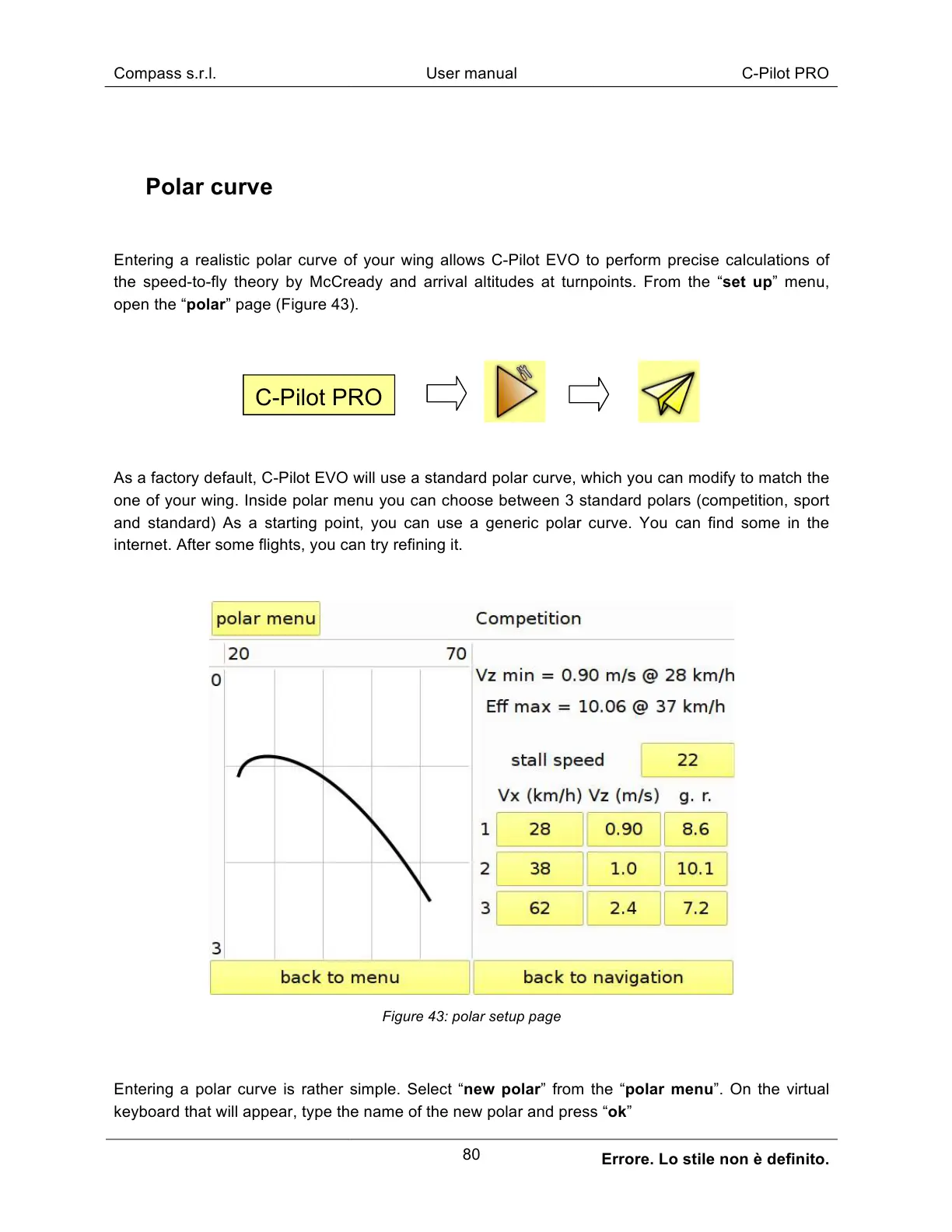
open the “polar” page (Figure 43).
As a factory default, C-Pilot EVO will use a standard polar curve, which you can modify to match the
one of your wing. Inside polar menu you can choose between 3 standard polars (competition, sport
and standard) As a starting point, you can use a generic polar curve. You can find some in the
internet. After some flights, you can try refining it.
Figure 43: polar setup page
Entering a polar curve is rather simple. Select “new polar” from the “polar menu”. On the virtual
keyboard that will appear, type the name of the new polar and press “ok”



 To Next Page