DMD1050 Satellite Modem Board Web Browser
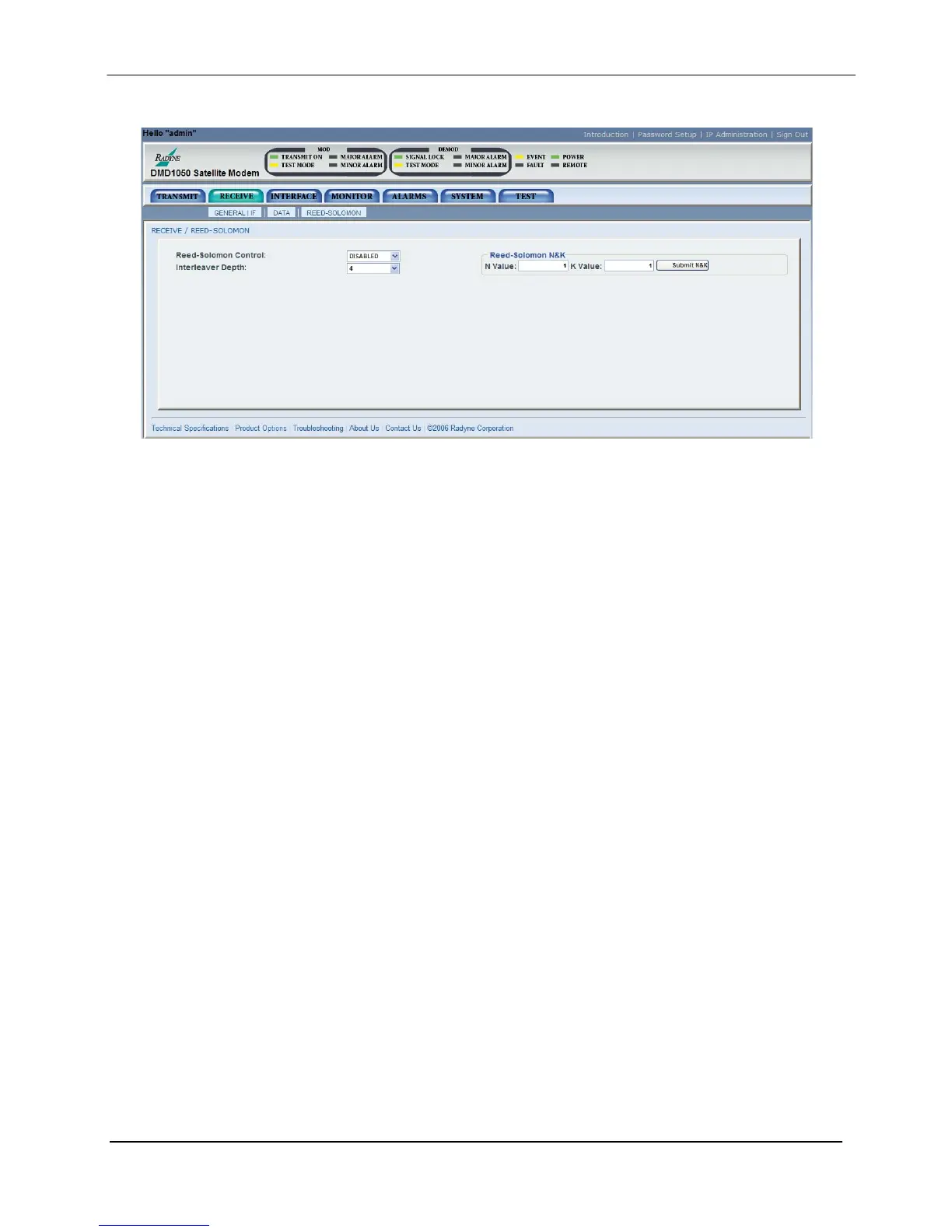
Receive / Reed-Solomon Menu
Figure 7-15. Receive / Reed-Solomon Menu
ReedSolomon Control: {ENABLED, DISABLED}
Allows the user to Enable/Disable the Reed-Solomon Encoder.
RS N Value: {Refer to Table 3-1 for valid n/k values}
Displays the currently used N value, Reed-Solomon Codes. In
Closed Net Mode, the user may select custom R-S Codes if
optional Reed Solomon Card is installed.
RS K Value: {Refer to Table 3-1 for valid n/k values}
Displays the currently used K value, Reed-Solomon Codes. In
Closed Net Mode, the user may select custom R-S Codes if
optional Reed Solomon Card is installed.
Rx Interleaver Depth: {4, 8, 12}
Allows the user to select the Reed-Solomon interleaver depth.
In Closed Net Mode, a depth of 4 or 8 may be selected.
MN-DMD1050 7–27
Revision 9



 To Next Page