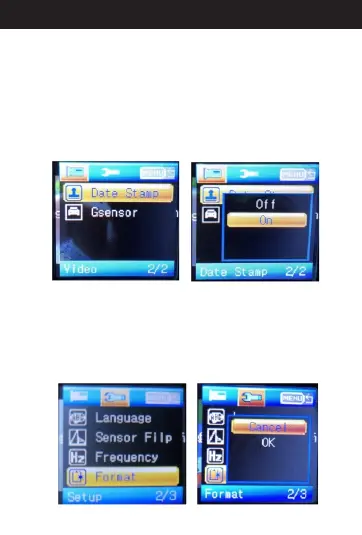
When in standby mode, press menu button to menu
items and select “Date Stamp”. Then press “OK”.
You'll see “Off” and “On”options. When you choose
”On”, press “OK”. Press the menu button two times to
get back to standby mode. In this case, there will be
Date Stamp on video while playing videos. If you
choose ”Off” instead, there won't be any Date Stamp
on the video while playing.
7. A Date Stampbout
8. A Formatbout
When in standby mode, press menu button two times to
open the menu items and select “Format”. Then press
“OK”. You'll see “cancel” and “OK” options. When you
select “OK” ,it will format the micro SD card. At that point,
anything previously stored in the micro SD card cannot
be recovered.
15
Directions for your Conbrov T17 Camera



 To Next Page