1
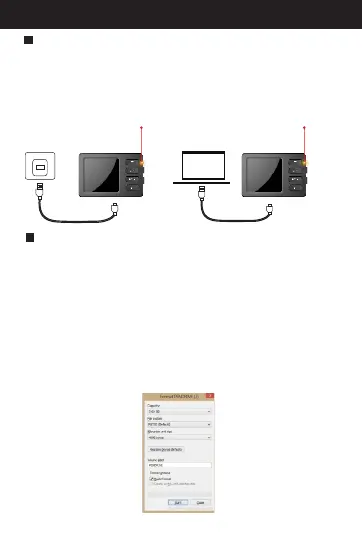
Charging the camera
Formatting the micro SD card
Yellow indicator
Yellow indicator
Before the first use, please charge the camera to full
power. While charging, the LED lights turn yellow and
then turn off when the camera is fully charged.
Before the first use, please format the micro SD card to
FAT 32 format.
A. (Applicable to Windows system ONLY.)The camera
only supports class 10 micro SD card with at least an
8GB capacity and a maximum capacity of 32 GB.
B. When in standby mode, press menu button two
times to open the menu items and select “Format.”
Then press ”OK.” You'll see “cancel” and “OK” options.
When you select “OK,” it will format the micro SD card.
At that point, anything previously stored on the micro
SD card cannot be recovered.
Part1: Before First Use



 To Next Page