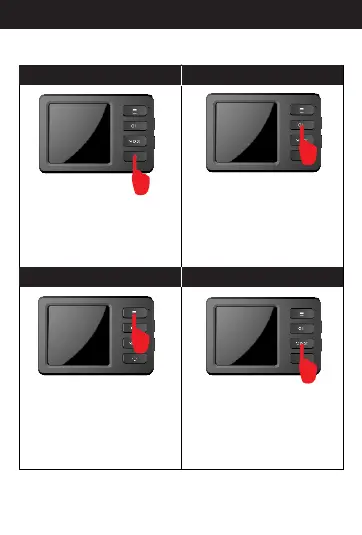
A.Power
B.Record/Confirm
C. Menu
D.Mode
In standby mode, press”OK”
button and switch to recording
mode.
In standby mode, short press
mode button, then you can switch
between photo and replay mode.
Press and hold the power bu tton for
2 seconds, the camera makes a
start-up sound and the sc reen lights
up and then enters into sta ndby mode;
press the power button fo r 2 seconds
again, the camera makes a s hutdown
sound and its screen goes o ut and
then powers off.
In standby mode, press “menu” button
to menu option, you can set p arameter
information and previ ew it; when in
menu mode, press”OK”,then you can
set parameter informa tion and save it.
8
Button specification



 To Next Page