19. About Photographing
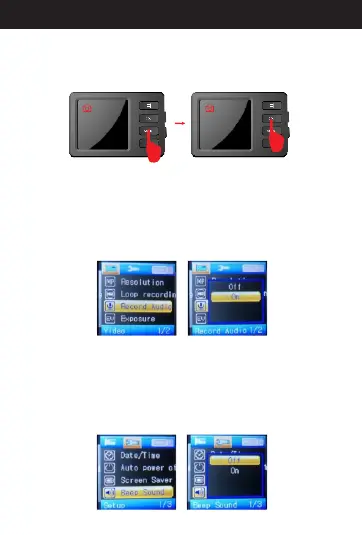
While in standby mode, press the “mode” button, then
camera icon will be on the top left corner of the
screen. Press the “OK” button, it will take photos.
20. A Recording Audiobout
In standby mode, press “menu” button to the menu
mode, then press and hold “Up/Down” button to select
“Reco rding Audio” , pres s “OK” butto n and see
“Off”/“On” options, the audio is on when you select
“On”, or it will be off when you select “Off”. press “OK”
button to confirm and then press “menu” to exit.
21. A Beep Soundbout
In standby mode, press “menu” button to the menu
mode, then press and hold “Up/Down” button to select
“Beep Sound”, press “OK” button and see “Off”/“On”
options, the audio is on when you select “On”, or it will
be off when you select “Off”. press “OK” button to
confirm and then press “menu” to exit.
21
Directions for your Conbrov T17 Camera



 To Next Page