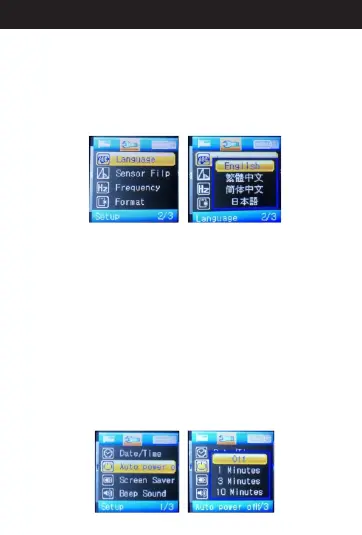
9. A Language Settingbout
When in standby mode, press menu button two times
into the menu items and select “Language”. Then
press ”OK”. You'll see several language options.
Choose your national language and press “OK” to
save the setting. When finished, press the menu
button two times back to standby mode.
10. A Auto Power Offbout
When in standby mode, press menu button two times
to menu items and select “Auto Power Off”. Then,
press ”OK”. You'll see “Off”, “One Minute”, “Three
Minute”options and “Ten Minute”. If you choose
”Off”,the camera won't turn off automatically. If you
choose “One Minute”, the camera will turn off
automatically when standby time is more than one
minute. If you choose “Three Minute”, the camera will
turn off automatically when standby time is more than
three minutes. If you choose “Ten Minute”, the camera
will turn off automatically when standby time is more
than ten minutes. Select the option, you need and
press “OK” to save the setting. When finished, press
the menu button two times back to standby mode.
16
Directions for your Conbrov T17 Camera



 To Next Page