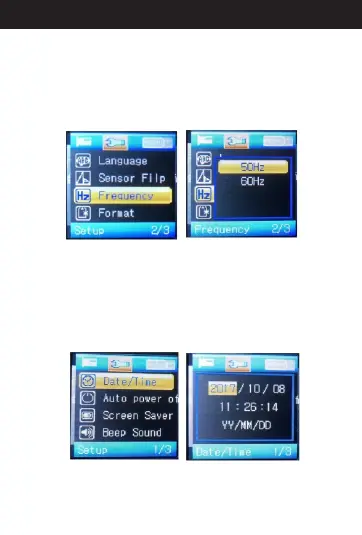
13. A Frequencybout
When in standby mode, press menu button two times
to menu items and select “Frequency”. Then, press
“OK.” You'll see “50HZ” and “60HZ” options. Select
the option you need and press “OK” to save the
setting. When finished, press the menu button two
times back to standby mode.
14. A Time Settingbout
When in standby mode, press menu button two times
to menu items and select “Date/Time”. Then, press
“OK”. You'll see the defaulted time format. Press “up”
and “down” buttons to set the date and time. When
finished, press “OK” to save the setting and press the
menu button two times back to standby mode.
18
Directions for your Conbrov T17 Camera



 To Next Page