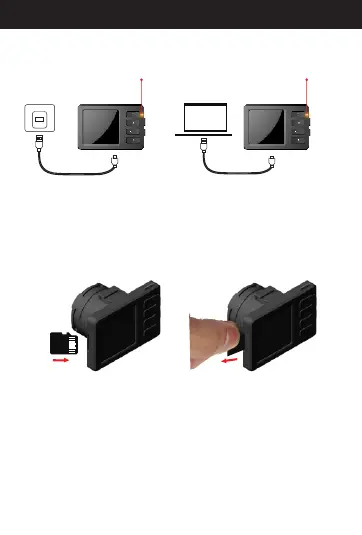
Yellow indicator
Yellow indicator
1. Charging your camera
(1)Please refer to the picture above to insert the micro SD
card into the slot. Pay attention to the direction, as the micro
SD card only goes in one way.
(2)When inserting the micro SD card into the slot, you need
to press it until you hear a click sound.
.
Installing the microSD
Removing the microSD
2. Installing SD card
10
Directions for your Conbrov T17 Camera
(1)There are two ways of charging: one is charging by car
charger(included) and the other is charging via your PC.
(2)The yellow LED is on while charging and turns off when
the camera is fully charged.



 To Next Page