16
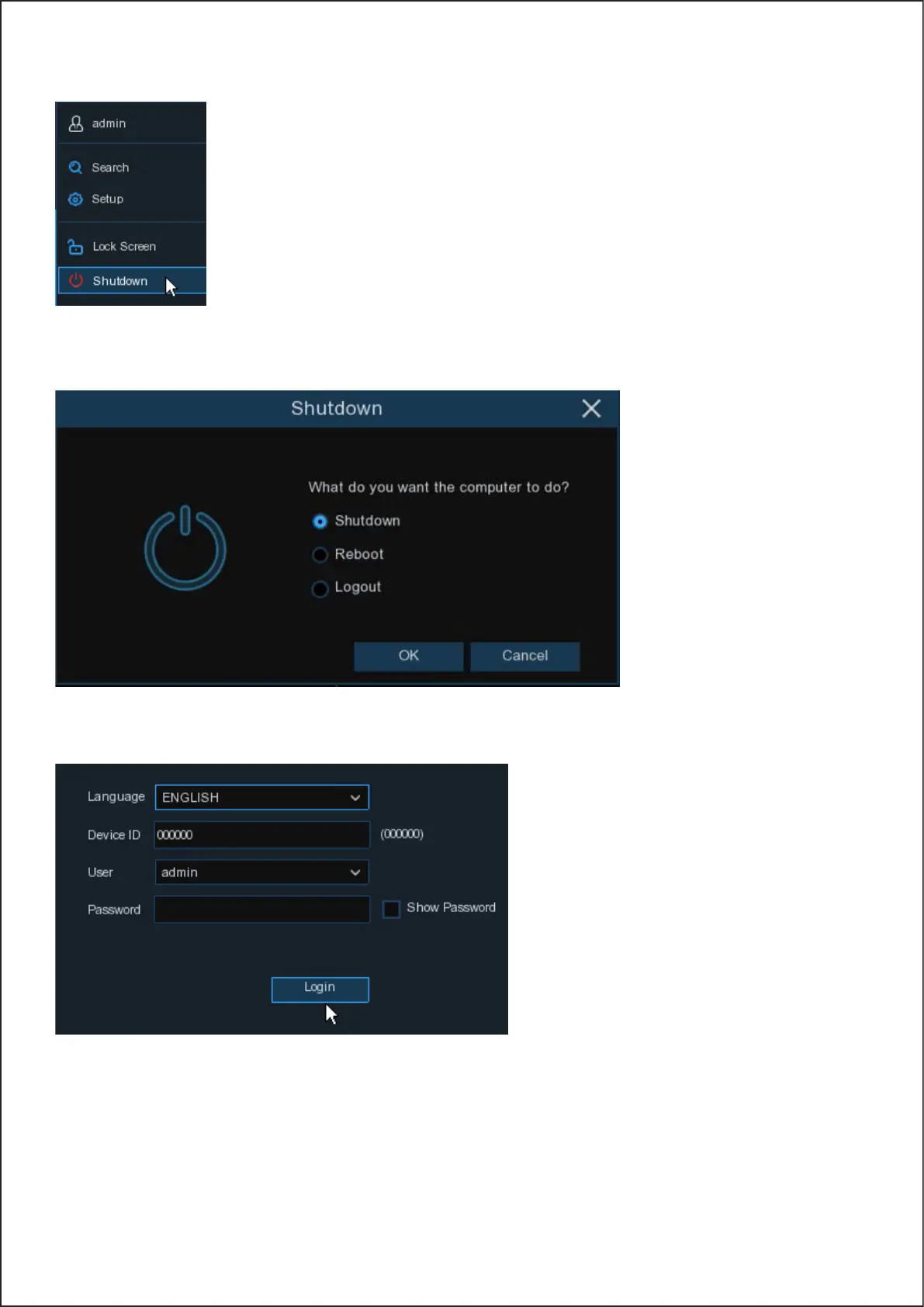
4.2.3.2 Shutdown
Click the Shutdown button from Start Menu, and select the Shutdown, Reboot or Logout action you want to
perform, then click the OK button. The system may require you to enter the Admin password to authenticate.
If you choose Logout, the live viewing screen will no longer be visible.
You will need to log into the system for further operations.
16


 To Next Page