64
6.1.4 Picture Search & View
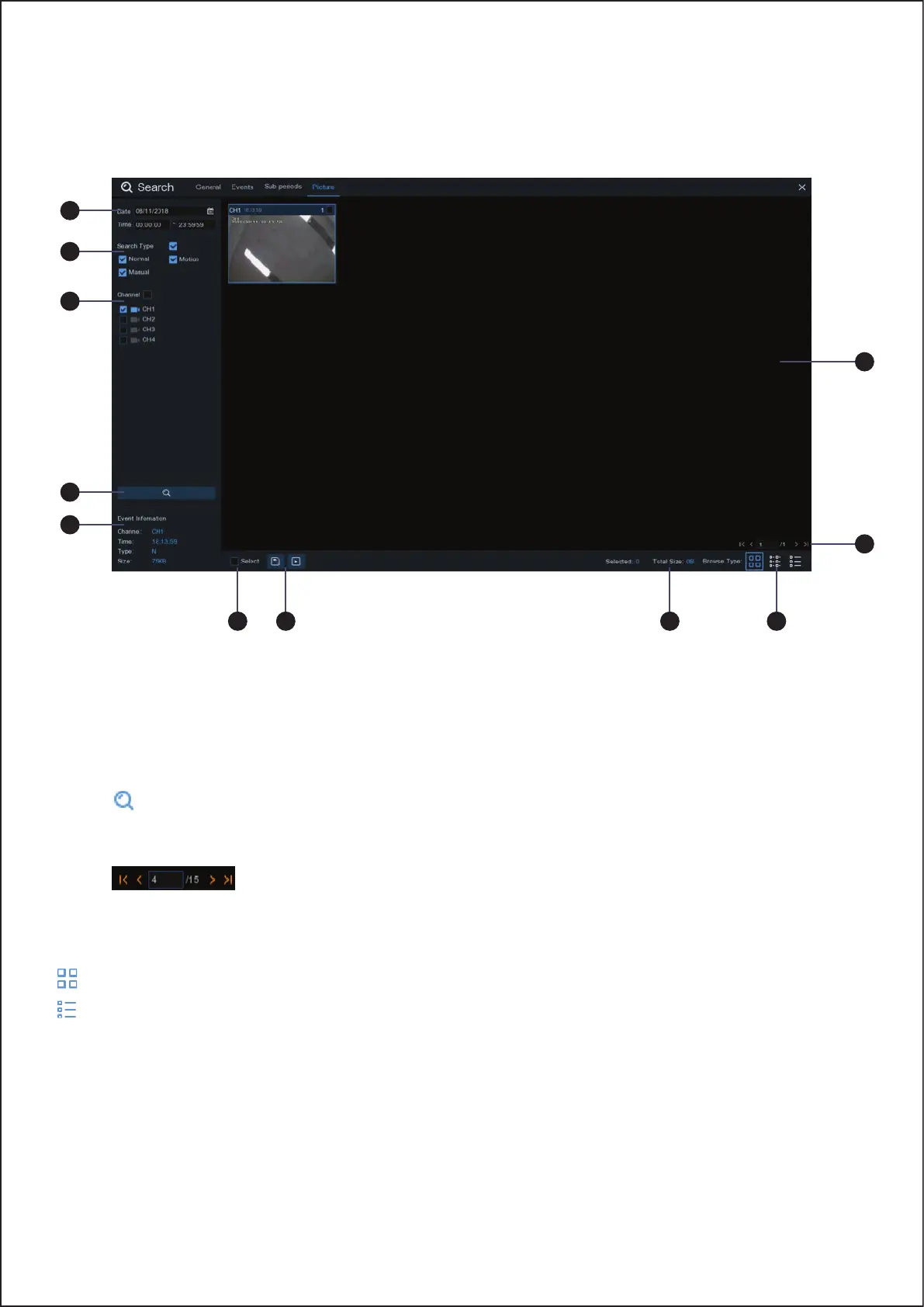
This function can be used to search, play and copy snapshots to a USB flash drive.
To search, play & back up pictures:
1. Choose the date & time you want to search.
2. Check the picture capture types you want to search, or check Search Type to choose all.
3. Choose the channels you want to search, or check Channel to choose all channels.
4. Click button to start search.
5. Pictures fitting your search criteria are displayed in list form. You can double click one of the pictures to get a
larger view.
6. Click icons in the bottom-right corner of the menu to browse between pages of pictures, or
input the page you want to browse.
7. You can switch the view of list form in by clicking below icons which is show at the right bottom corner of the
screen:
Thumbnails view. You can view the snapshots of the events.
List view. The events will be displayed in list.
1
2
3
4
8
9 11
10 7
6
5
64



 To Next Page