28
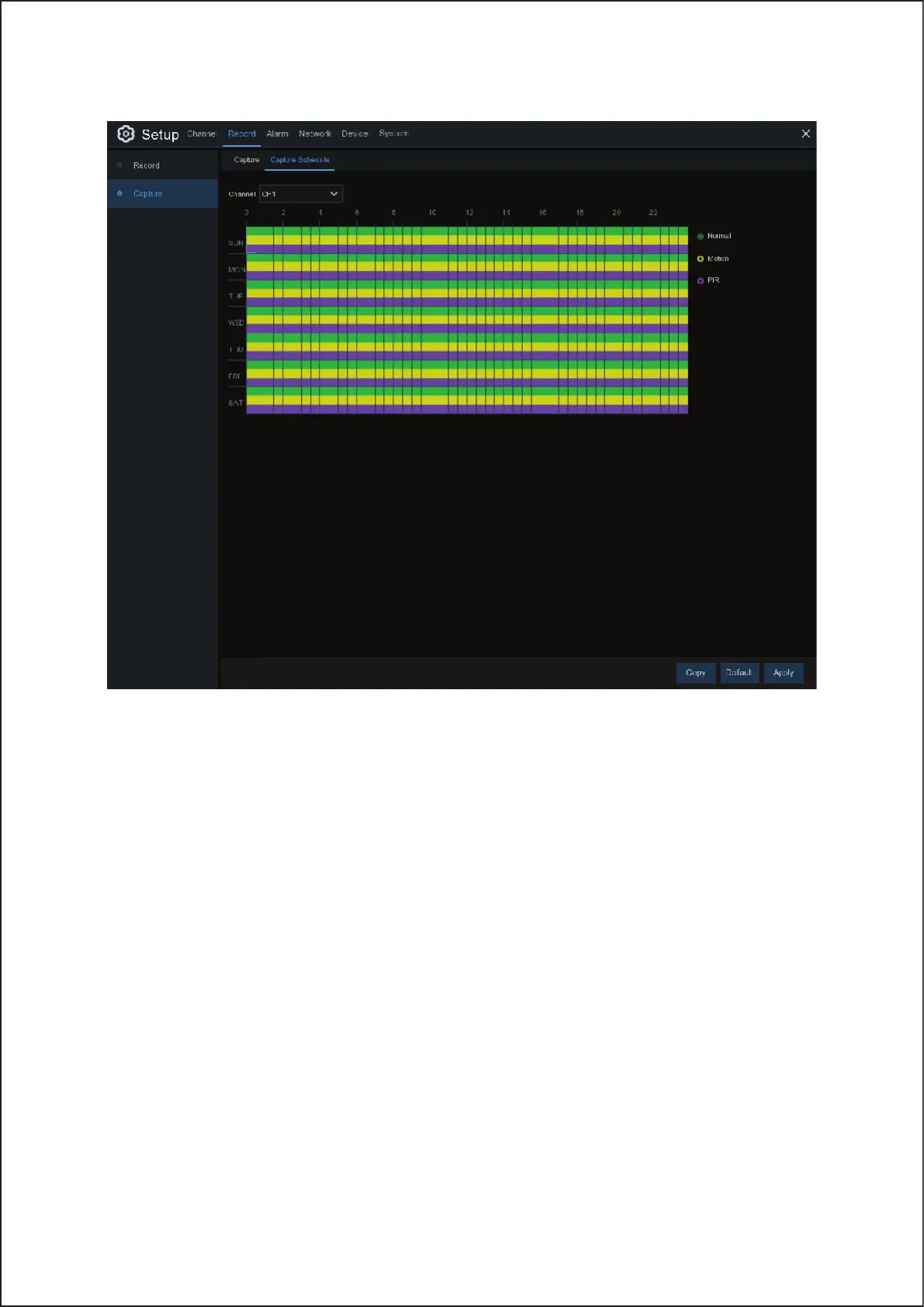
Capture Schedule
Channel: Select the channel to set its snapshot capturing schedule.
Normal: When the time slot is marked green, this indicates the channel is capturing snapshots based on the Normal
Interval.
Motion: When the time slot is marked yellow, this indicates the channel is capturing snapshots based on Alarm
Interval only when a motion is detected.
No Capturing: A time slot marked black means that there is no snapshot capturing scheduled for the time slot.
26


 To Next Page