5
Chapter 2: Product Overview
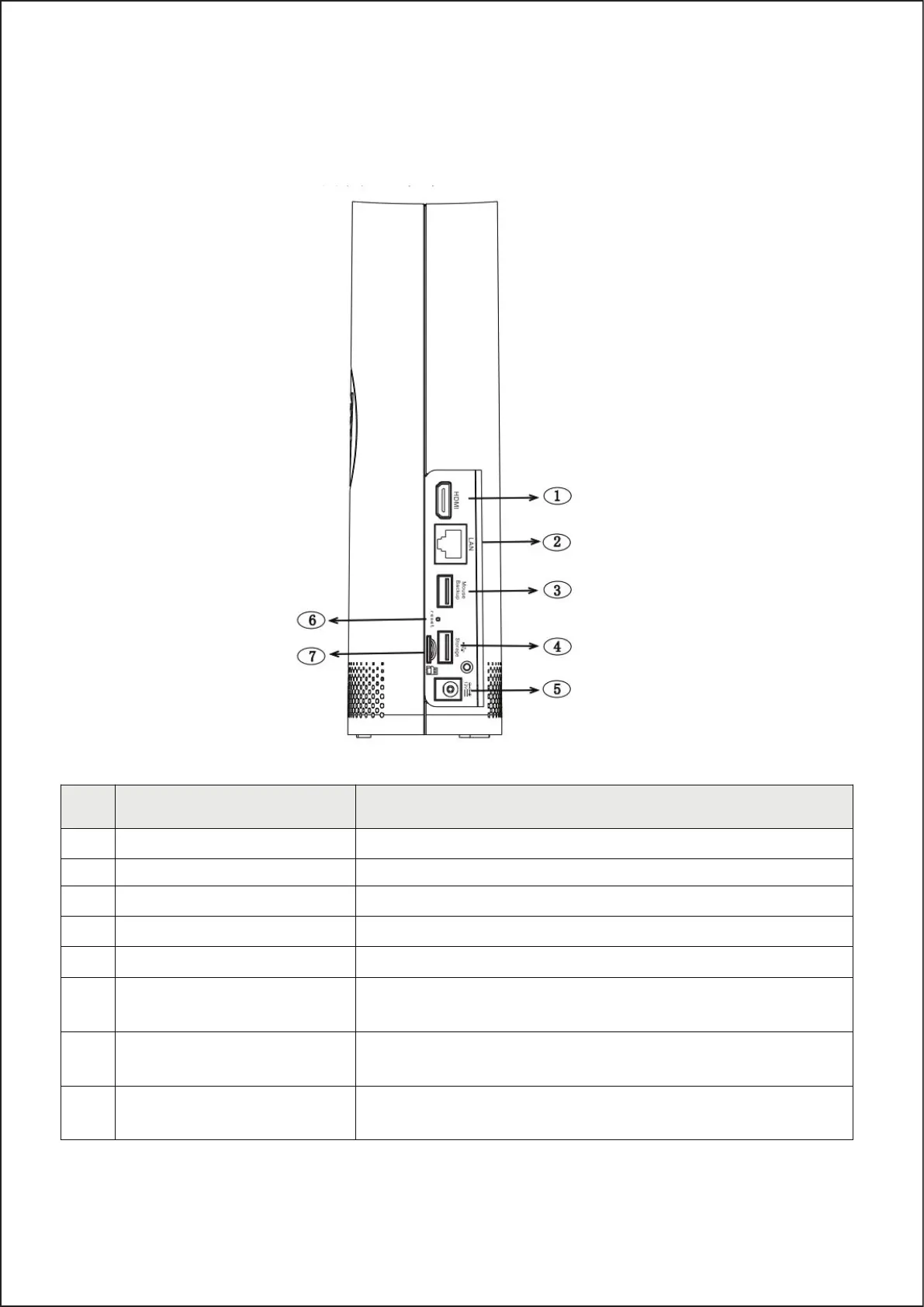
2.1 Rear Panel
NO Physical interface Connection
1 HDMI port HDMI high-definition port.
2 WAN port Router network input port/cam era-connecting port
3 USB port 1 Connect with USB mouse or plug in a U disk for backup.
4 USB port 2 Insert a U dis k as a redundant hard dis k for recording.
5 Power port Connect with the power supply DC12V 2A.
6 Reset button
Press three seconds for password r eset. Press ten seconds for
factory reset.
7 SD card port
Plug in SD card as a hard disk to record. (When the hard disk is
working, the SD card i
s not working)
Note
Antenna (Inside the NVR
structure)
It is us ed to transmit and receive wireless signals, so that the
NVR and the camera can communicate well.
5



 To Next Page