Edition 05/2021 - MC – Technical documentation - page 17
SACOME, CONFIDENTIAL Document, it is forbidden to duplicate or communicate this document without previous authorization.
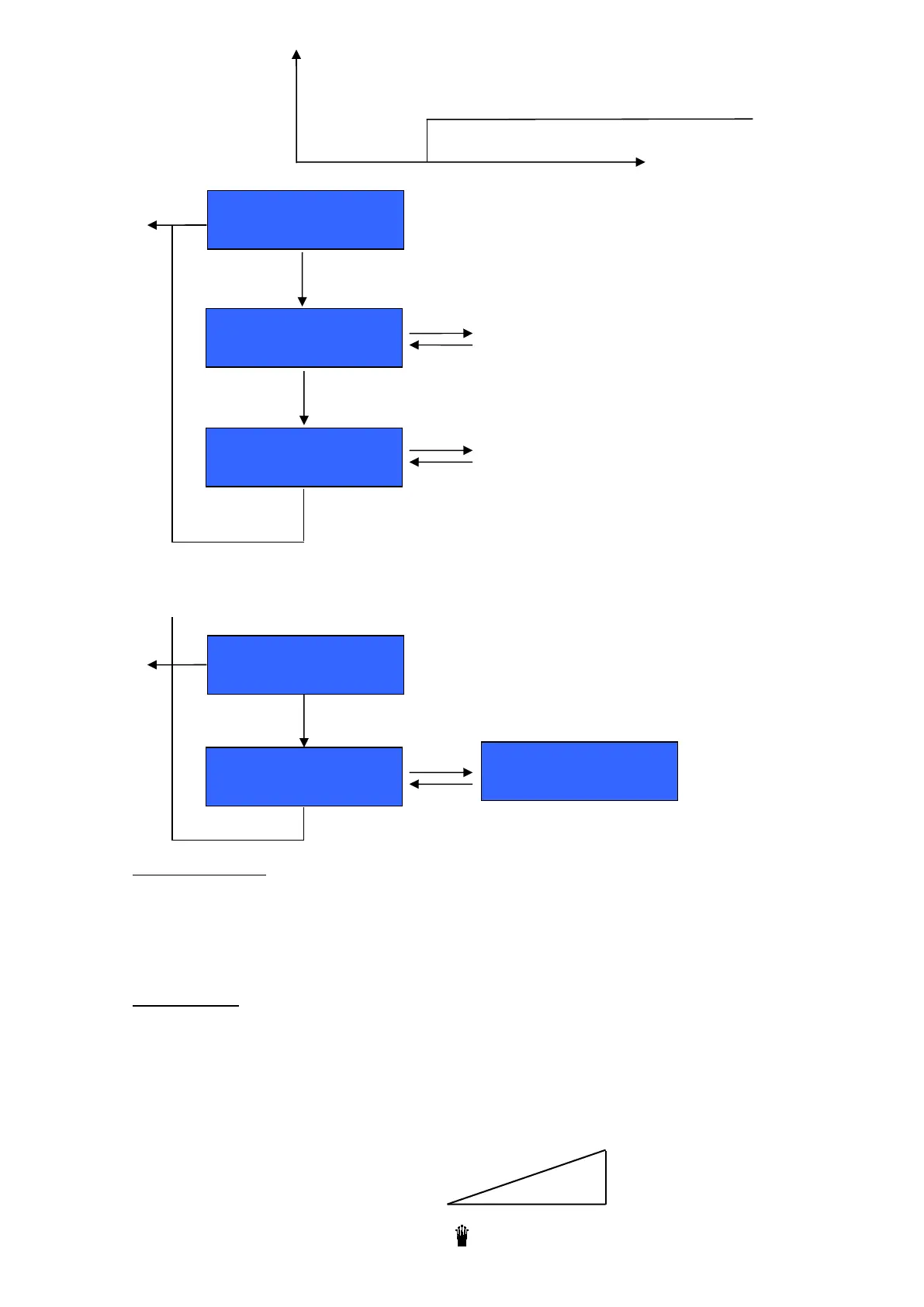
D) SOFT-INFUSION
E) COUNTERS
8.2 Group eco mode
If you press on the "ECO" button of one group, you enter in the "ECO" mode: the coffee boiler switches off. The
group is disabled but the group head is maintained at temperature. The other groups remain functioning. Press
again on the "ECO" button to enable the group.
8.3 Clean button
If you press on the "CLEAN" button of one group, a cleaning cycle starts.
Prepare the blind filter holder and cleaning tablet
Put it on the group head
Press the "CLEAN" button
The machine starts the cleaning cycle without any special indication.
A bar graph indicates the cleaning progress.
Espresso
10
+
Counters
Other button
xx
Press "menu" to reset the counters
Soft-Infusion
Espresso 3.0 sec
+
Soft-infusion
« Menu » to validate and go to next step
« ESC » to escape
To adjust the closing time of the soft-infusion
valve
Soft-Infusion
2 Espresso 3.0 sec
MENU
+
Programming a closing time of the coffee circuit during the extraction beginning.
During that time a low pression is applied on the coffee grounds.
EXTRACTION
Soft
Time
MENU
To adjust the closing time of the soft-infusion
valve



 To Next Page