Edition 05/2021 - MC – Technical documentation - page 45
SACOME, CONFIDENTIAL Document, it is forbidden to duplicate or communicate this document without previous authorization.
13 STEAM CONTROL PRODUCTS ADJUSTMENTS
How to adjust “hot milk” or “milk foam” product: By “auto learning”
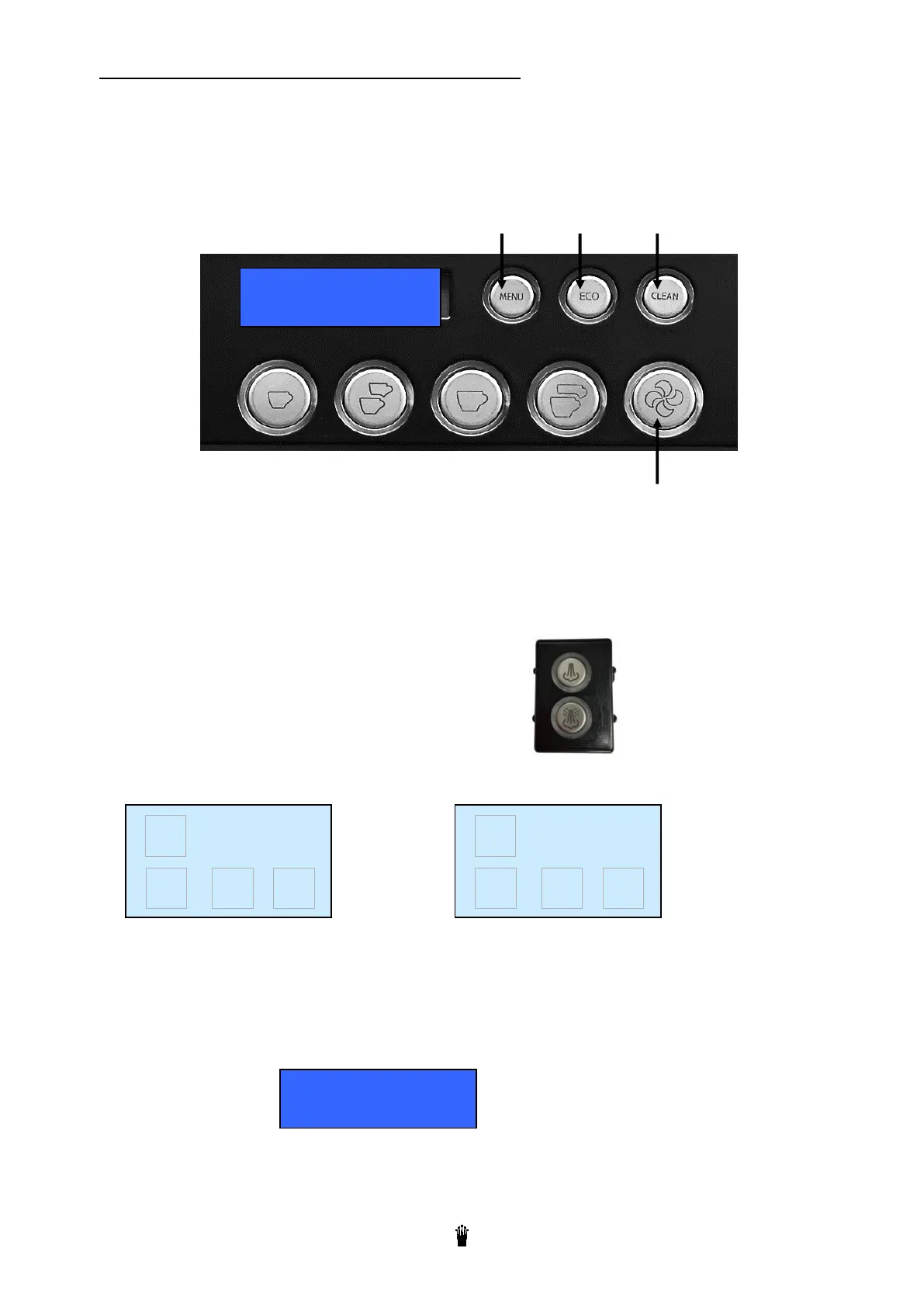
Using the nearest coffee keypad menu from the steam control:
Use keypad n° 2 on a 2 groups machine
Use keypad n° 3 on a 3 groups machine
MENU/ENTER - +
Esc
The user prepares the product to be heated and put the pot above the steam control outlet.
Press the coffee “MENU” button
Press “+” until the display shows “dose setting”
Press “MENU” again (for ENTER)
Press the product button “hot milk” or “milk foam”:
The machine starts to heat the product. At the same time the display shows the T° value read inside the milk.
or
XX or YY is the temperature read by the probe
When the temperature displayed or the made product is OK. Then, push again on the button. The
making of the product is stopped. The temperature is stored in the memory. Push on the “MENU”
button to escape from the programming.
Press the coffee « ESC » button.
That’s the same procedure for the « hot milk » and the “milk foam »
95°C
HOT MILK
XX °C
«
-
+
√
MILK FOAM
YY °C
«
-
+
√
Dose setting



 To Next Page