Edition 05/2021 - MC – Technical documentation - page 42
SACOME, CONFIDENTIAL Document, it is forbidden to duplicate or communicate this document without previous authorization.
10.11.1 Lock out code
It is possible to lock out completely the menu thanks a lock out code. By default, the lock out code is
disactivated.
If you activate the lock out code, the machine will ask you to enter the old lock out password. By default, the
lock out password 1111.
After that, you will enter our own lock out password and enter it again for confirmation. the lock out password
is, always, made of 4 figures.
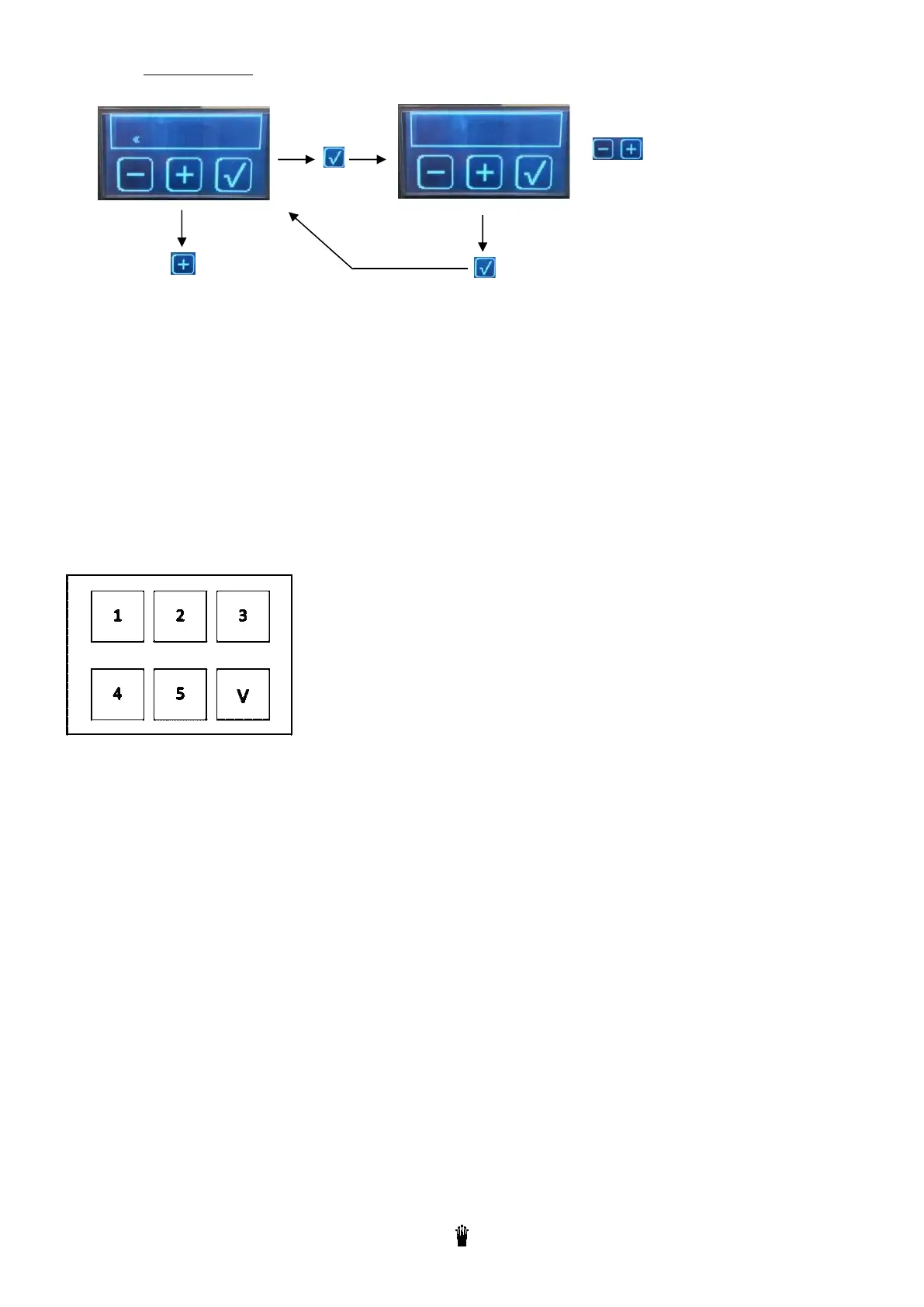
If you enable the lock out code and you push 5 seconds on the touch screen to enter the menu, this screen (see
below) appears. Enter the chosen lock out password and push on « V » to validate.
To select
Value : Activated / Disactivated
Disactivated
To validate
Next step



 To Next Page