Preparing a VFC400-WiFi for first use VFC400-WiFi User Guide 10
Configuring the VFC400-WiFi for logging
Before a VFC400-WiFi logger can be used, it must be configured with the parameters required for
l starting and recording temperature values
l triggering alarms
l connecting to the local WiFi network
l connecting to your cloud account
This is done using Control Solutions VTMC software, which can also be used for downloading and analyzing
data. Control Solutions VTMC includes the LogTag
®
Online Connection Wizard, which will allow you to set
wireless and network settings and register the VFC400-WiFi against your Control Solutions Online account.
l Start the Control Solutions VTMC software.
l Remove the protective cap from the logger's USB socket and plug the Micro USB end of the cable into
the socket. Plug the other end of the cable into a USB socket on your computer and wait for the drivers to
be installed.
l Slot the logger into the interface, contacts facing down and towards the rear of the interface.
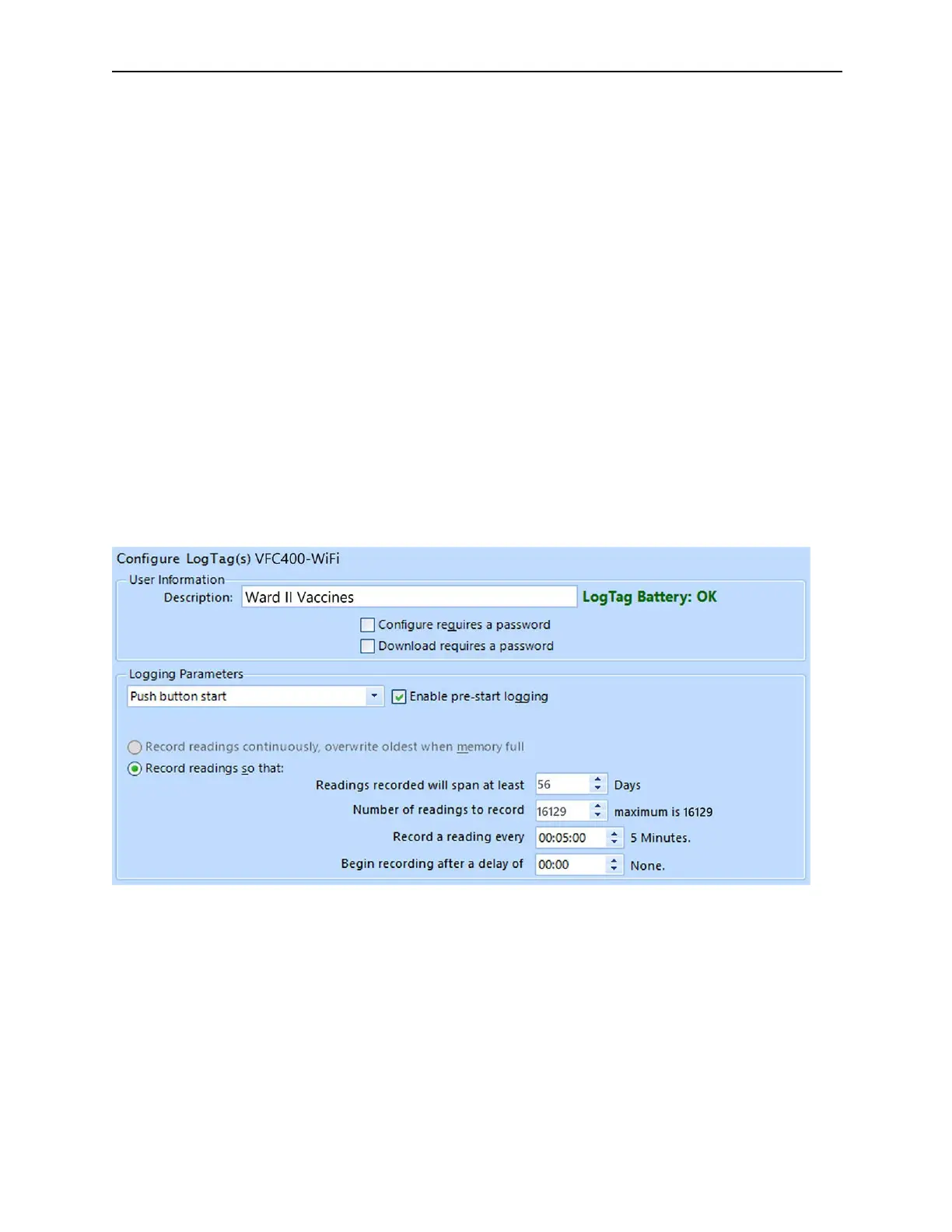
l From the menu click LogTag - Configure; Control Solutions VTMC will display the contents of your
VFC400-WiFi for reviewing or editing configuration settings.
Standard Configuration Settings
The standard configuration is similar to those of other LogTag logger products and includes settings such as
User ID, start method, pre-start recording, logging interval and duration, start delay, and password.
Adjust the settings as required. For detailed information about each parameter please read the section about
Configuring a LogTag for logging in Control Solutions VTMC’s User Guide or press F1 for help.



 To Next Page