Preparing a VFC400-WiFi for first use VFC400-WiFi User Guide 17
Adding the Sensor and the Power Supply
Before the VFC400-WiFi can record temperature data you will need to connect an external sensor.
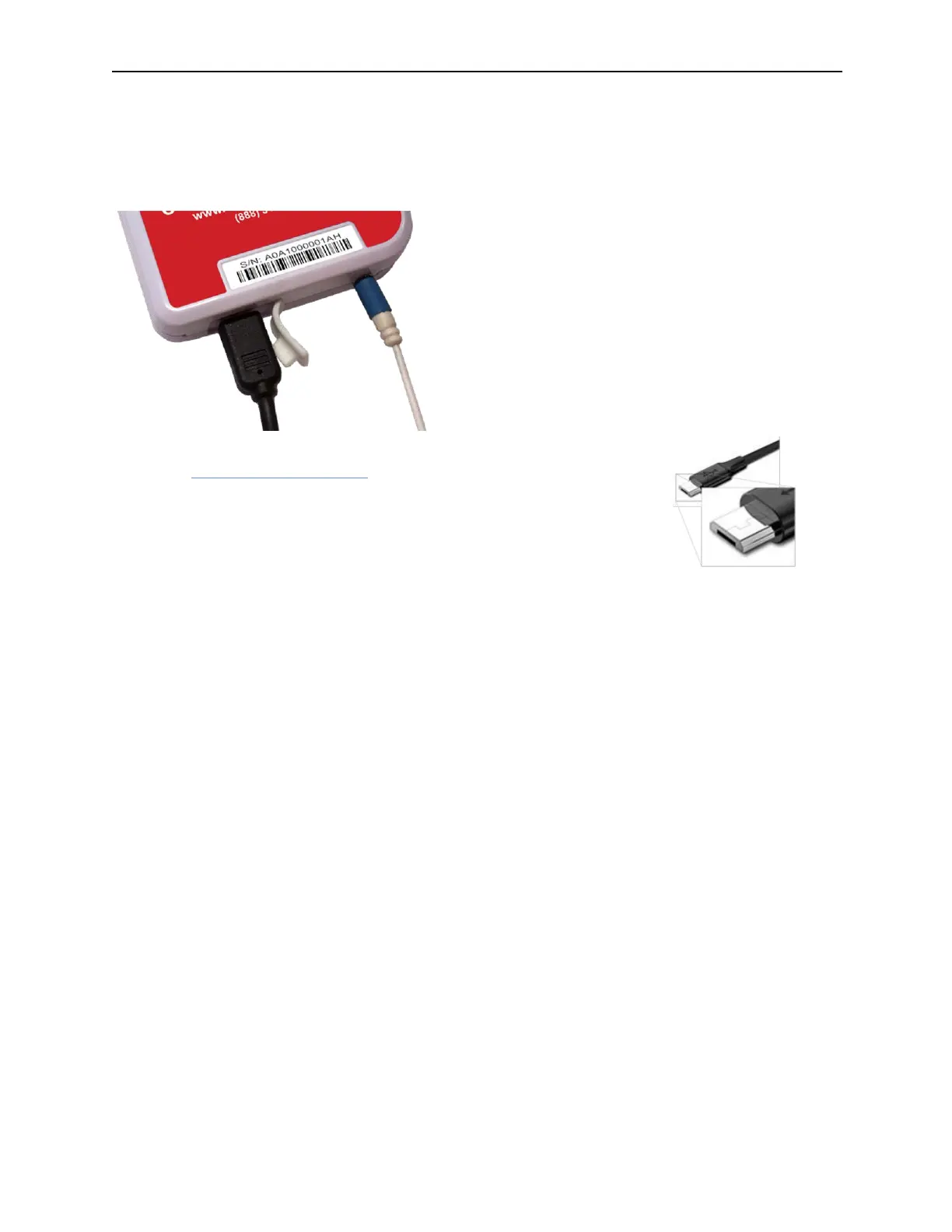
The VFC400-WiFi accepts any ST100 sensor. Plug the sensor into the socket located at the bottom of the
device, as shown below.
For stationary applications we strongly recommend you connect a power
supply (see Powering the VFC400-WiFi).
Remove the protective cap and insert the USB connector.
Note that the wider part of the connector is oriented towards the rear of the
product.



 To Next Page