During Recording VFC400-WiFi User Guide 36
Power Save
When Power Save is enabled, the display will automatically switch off if none of the buttons have been pressed
for 30 seconds.
This function is appropriate in applications where you don't need to look at the display frequently, such as in
transit monitoring applications, as the logger uses less battery power when the display is not turned on.
Pressing any button will re-activate the display.
Power save is enabled or disabled when configuring the VFC400-WiFi via Control Solutions VTMC in the
Advanced Settings tab.
Note: The display will turn off, even if there is a pending alarm! The Red Alert LED will still blink.
In Low power operation, power save will be active regardless of the settings made in Control
Solutions VTMC.
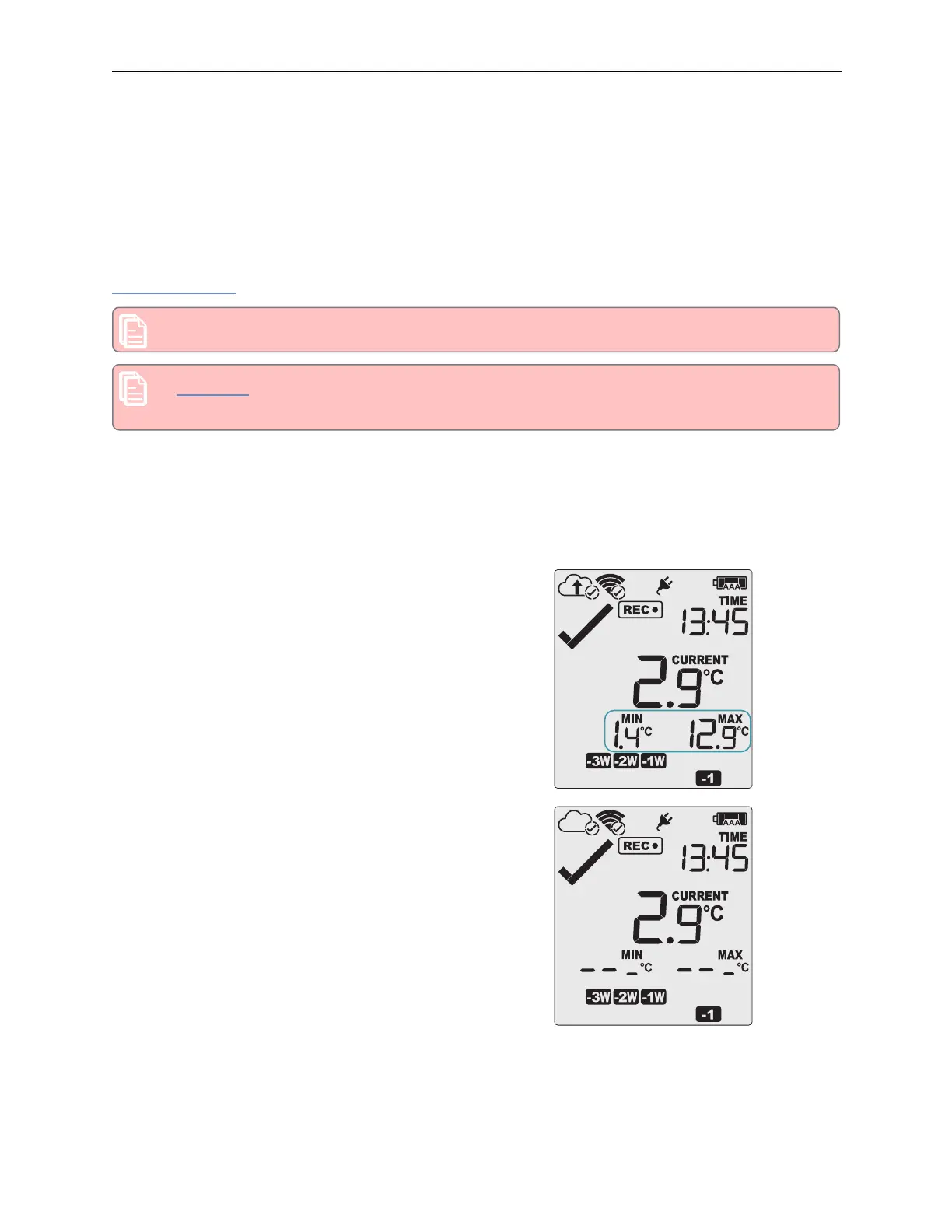
Clearing the Min/Max Values
The VFC400-WiFi tracks the minimum and maximum temperatures since it started logging and displays them
below the last recorded temperature.
These values can be reset any time while the unit is recording,
but not once the unit has been stopped.
To reset the values, follow this procedure:
l Press and hold the REVIEW/MARK button.
l After 1 second the number values alternate with dashes,
after 4 seconds, the dashes remain on.
l Release the buttons within 2 seconds. The values will be
reset and the dashes remain on screen.
l If you keep holding the button beyond the 2 seconds, the
currently stored min/max values will be retained.
l Releasing the button within the 4 second period after the
initial press switches to the first review screen.
The logger will now track new min/max values. A min/max reset mark will be recorded in the logged data. As
soon as the next reading is taken, both minimum and maximum values will be shown again.
You will be able to see on the PDF and in the summary in Control Solutions VTMC when the min/max values
were cleared, but you will not be able to review previous min/max values on screen once they have been
cleared.



 To Next Page