During Recording VFC400-WiFi User Guide 34
Paused Readings
During configuration of the VFC400-WiFi you can set the option to ignore up to 15 readings for alarm and
statistics calculations after either button is pressed. The readings are still shown on the graph and in the data
listing, but they are labelled as paused, and their value is ignored when determining alarm trigger conditions,
minimum/maximum values and other statistical calculations.
This function is useful, for example, when you need to temporarily remove the sensor from the
monitored location to inspect goods, but you do not wish to trigger an alarm as a result of you
handling the sensor.
It allows the logger to acclimatize to the environment again, before
further readings are processed.
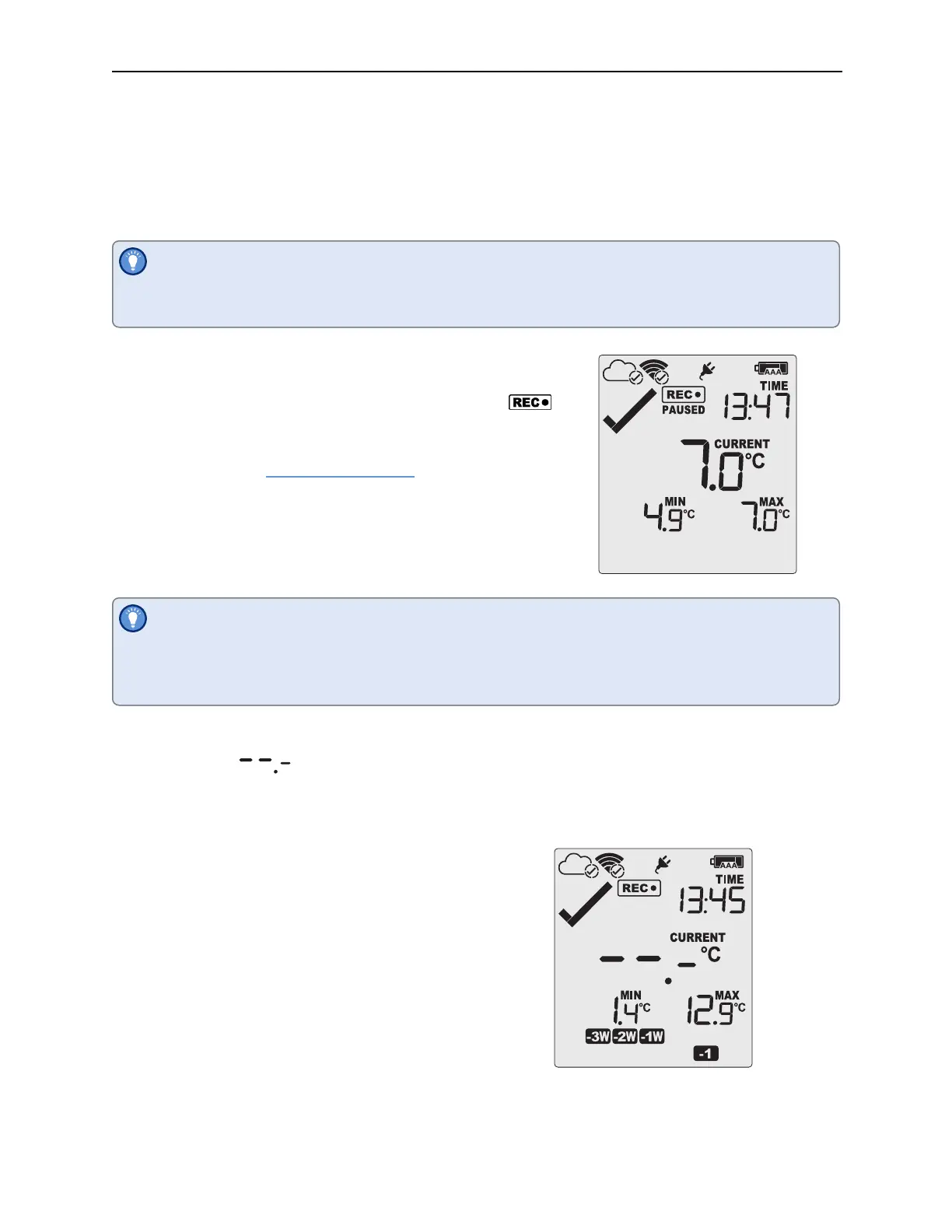
After a button press the display shows PAUSED next to the
symbol. PAUSED will turn off as soon as the last ignored reading has
been recorded.
The option is set in the
Advanced Settings tab during configuration
with Control Solutions VTMC and is expressed in number of readings
after the last button press.
Paused readings are specially marked in the graph and data listings.
How long PAUSED is displayed depends on when between readings you press the button. It will
show longer, if the button is pressed just after the logger takes a reading, but shorter if you press the
button just before. For example, if you configure a logging interval of 10 minutes and 2 paused
readings, the time PAUSED is shown could be as short as 10 minutes, but as long as 20 minutes.
Sensor is disconnected
The display shows instead of a temperature value if the external sensor of the VFC400-WiFi is
disconnected. This function is useful if the sensor is permanently mounted, but you wish to take the VFC400-
WiFi to a computer for downloading its data.
Any values recorded during this time will not be taken into
account when calculating statistics values or alarms.
If, for example, the temperature was above 10°C for 12 hours
(which would normally trigger an alarm event), but the sensor
was disconnected for 3 hours during this time, no alarm would
be generated.
When evaluating data, any readings taken while the sensor is
disconnected are shown as --.- in the data list. The chart in
Control Solutions VTMC and in LogTag
®
Online will show a
gap during this period. Minimum and Maximum values shown
on the display will remain visible and will not be updated until
the sensor is plugged back in.



 To Next Page