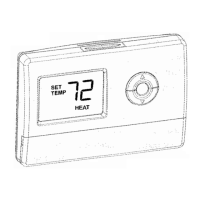
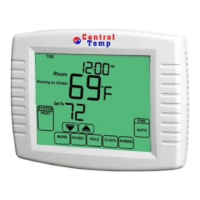
CT2001 Touchscreen Programmable Thermostat
7. To exit schedule without saving changes,
press CANCEL key any time.
Cancel
a
Schedule
Period
1. Press SCHED key.
2. Press EDIT key.
3. Select the Day(s) of the week desired.
4. Press schedule period you want to cancel
(WAKE, DAY, EVENING or SLEEP). Once
selected, the period flashes.
5. Press CANCEL PERIOD key.
NOTE: To set a Program Schedule for the
remaining days of the week, repeat
steps 1-6. Example: If MON – FRI
was selected first, go back and
repeat steps 1-6 for SAT and SUN.
6. The time, temperature(s) and fan setting
disappear. The bar above the selected period
is removed, indicating the scheduled period
was cancelled.
NOTE: To reinstate a schedule period, press
arrow keys to set desired time and
temperatures.
MON TUE WED THU FRI
AM
HEAT
CANCEL
SLEEP
WAKE DAY
EVENING
DONE
AUTO
FAN
CANCEL
PERIOD
COOL
PROG
DAY


 To Next Page