Outdoor
Temperature
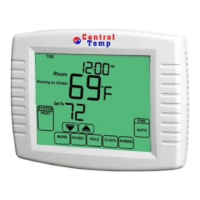
If an outdoor temperature sensor is installed,
the thermostat displays the outside
temperature in the lower right corner of the
Home Screen.
If thermostat is set to Auto Changeover System
mode, press the MORE key until the outside
temperature is shown on the screen. You can
also press MORE key again to check and edit
Filter Reminder if the Filter Change Reminder
function is chosen. (Press MORE key again to
check the humidity for CT1002 only)


 To Next Page