UV Lamp Reminder
The UV Lamp change reminder must be
turned on from the Installer Setup. Once
expired, the screen flashes, Change UV
Lamp and a RESET key appear. Press the
RESET key to reset the change reminder.
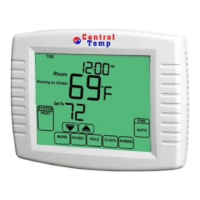
1. Press the MORE key until the UV Lamp
change reminder appears on the screen.
This is the number of calendar days
remaining on the UV Lamp reminder.
2. Press the EDIT key.
3. Use the Up and Down keys to change the
number of calendar days.
4. Press the DONE key to go back to the
viewing screen.
5. Press the RESET key to activate the new
number of days selected in the previous
screen.
6. Press the DONE key to return to the Home
Screen.


 To Next Page