3 Installation
Ethernet Option Board /
700.002 735 AE01
3-3
3.2 IP Tool NCIP Config
To begin using the Converteam Ethernet board, you need to set an IP address. The factory default IP address
is 192.168.0.10. Before connecting the board to the network, its IP addresses must be set according to the
network. For more information about IP addresses, contact your Network Administrator.
Once the program is installed successfully, you can launch it by selecting it in the 'Windows' 'Start' menu.
Follow these instructions to set the IP addresses. Select 'Help' 'Manual' if you want more information about
the software features.
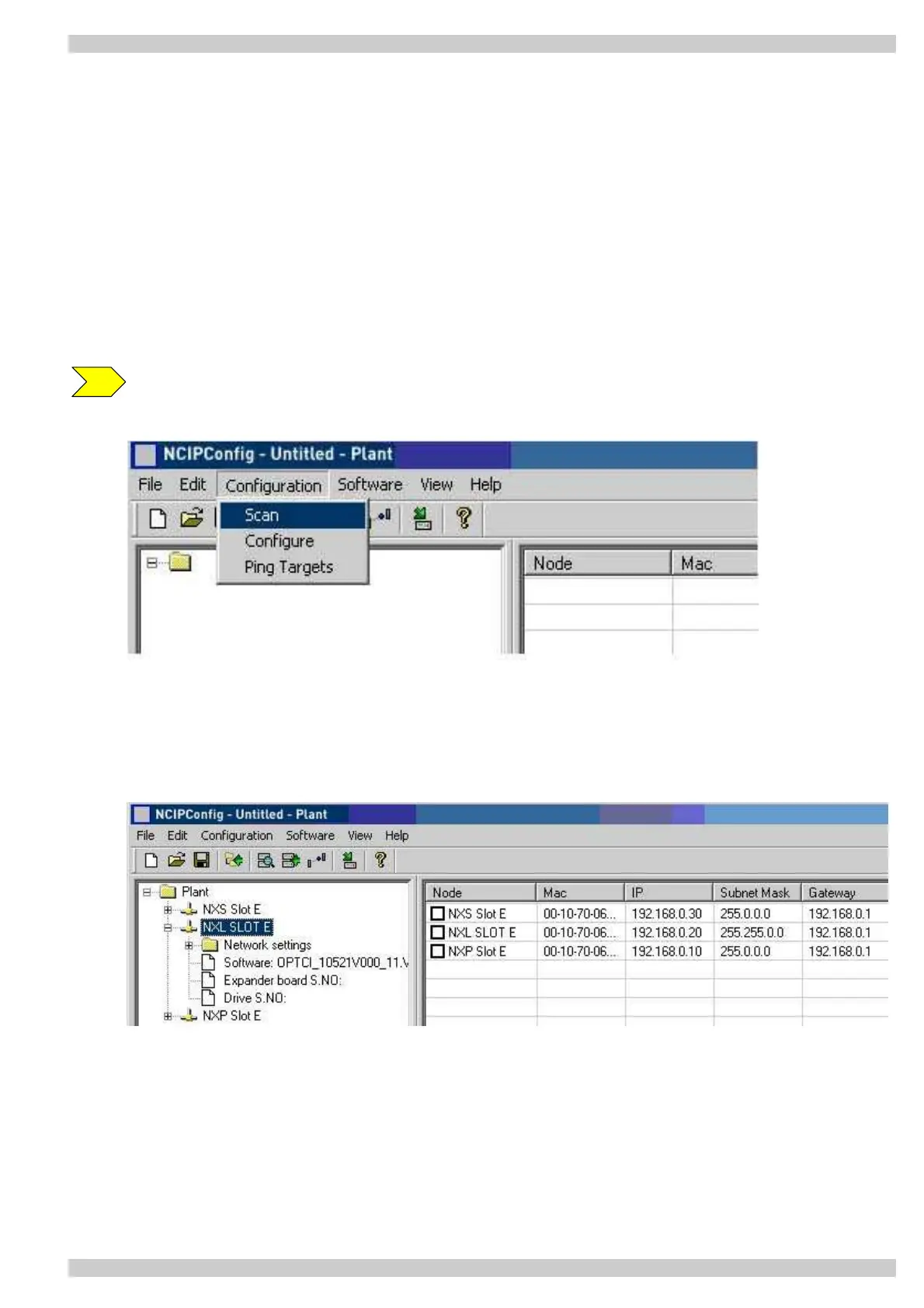
Step 1. Scan network nodes. Select 'Scan' 'Configuration' and wait until the devices connected to the bus
in the tree structure are displayed on the left of the screen.
Note: Some switches block broadcast messages, and in that case, each network node must be
scanned separately.
Step 2. Set IP addresses. Change the node’s IP settings according to the network IP settings. The program
will report conflicts with a red color in a table cell.



 To Next Page