3 Installation
3-4 Ethernet Option Board /
700.002 735 AE01
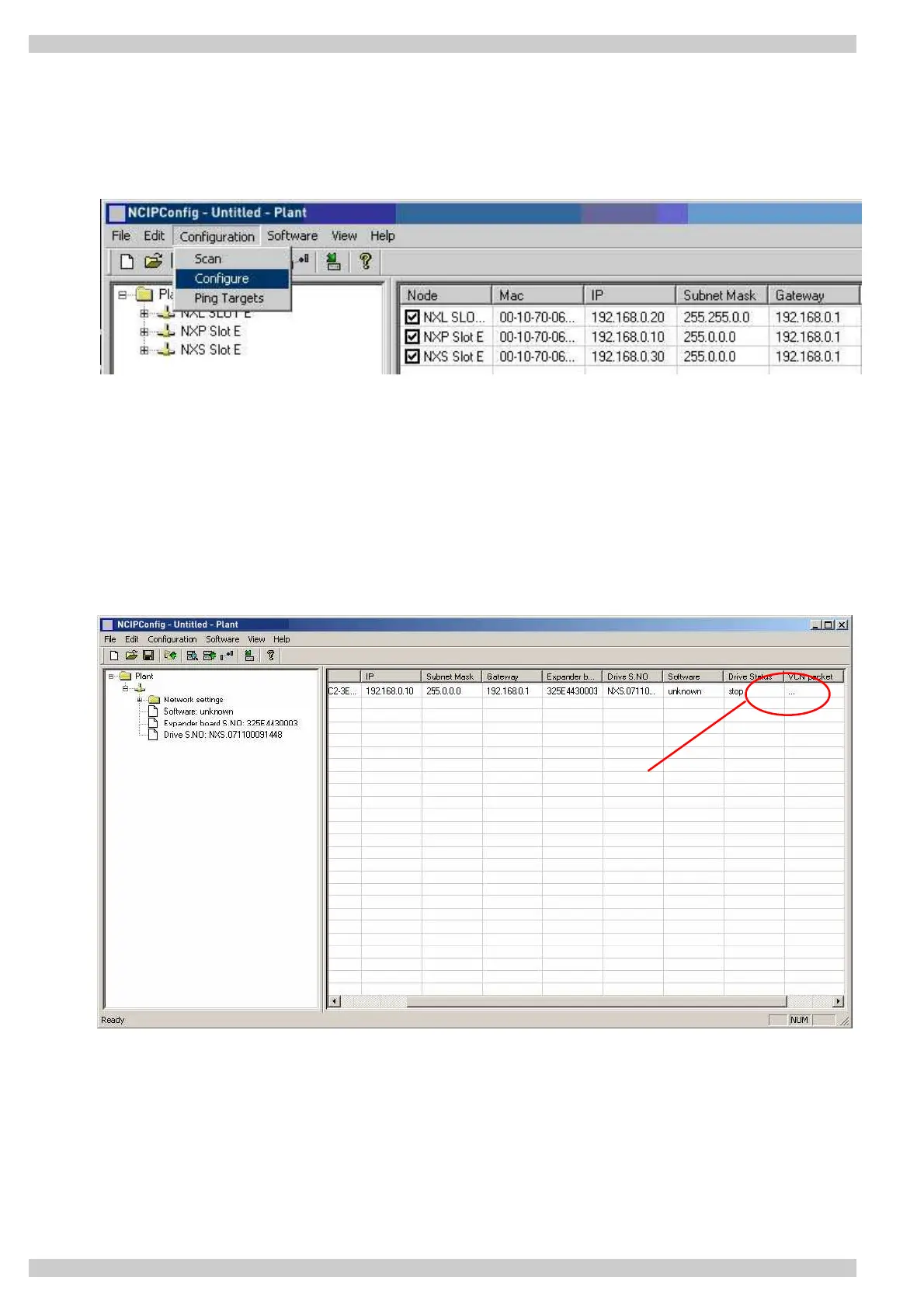
Step 3. Send configuration to boards. In the table view, check the boxes for boards whose configuration
you want to send and select 'Configuration', then 'Configure'. Your changes are sent to the network and will
be valid immediately.
3.2.1 Update OPT-CI Option Board program with the NCIP Config Tool
In some cases it may be necessary to update the option board's firmware. Differing from other Converteam
option boards, the Ethernet option board's firmware is updated with the NCIP Config software.
To start the firmware update, scan the nodes in the network according to the instructions in section 3.2. Once
you can see all nodes in the view, you can update the new firmware by clicking the 'VCN Packet' field in
NCIPCONFIG 's right table view.
Click



 To Next Page