www.cool-icam.com
© 2001 TCG. UK Version 1 0301
Page 24
11. How to Use Other Software
11.1 How to use ArcSoft™ PhotoStudio® 2000
Alternatively you can upload your images directly from your Cool-iCam Plus into ArcSoft™
PhotoStudio®, PhotoFantasy™, PhotoPrinter™ and VideoImpression™. Images can also be retrieved
previously saved in your computer files.
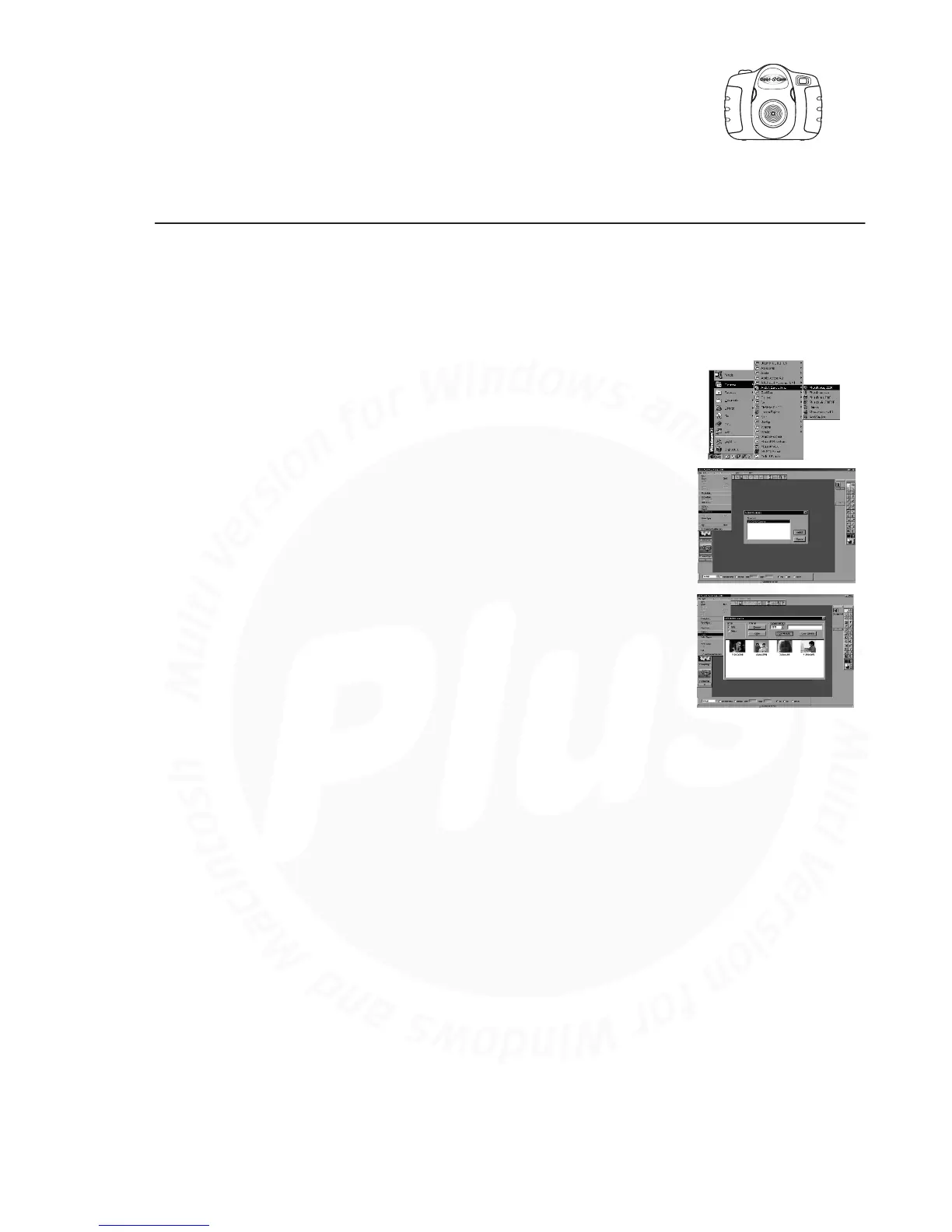
Select the “PhotoStudio® 2000” icon from the "ArcSoft Camera Suite"
program group on the Windows® Start Menu.
You can now start to download your stored images from your Cool-iCam
Plus by the following steps:
Go to “File” and select “Select Source”. Select “STV0680 Camera” as
source.
Go to “File” and select “Acquire”. The capture interface will show up.
To capture image(s), highlight the wanted image(s) and click “Capture”.
For further help on how to use ArcSoft™ PhotoStudio® 2000, go to
“Help” to access the Help Topics.
Visit http://www.arcsoft.com for all your FAQ's, tips and technical
support. See Section 12 for more details.
1.
2.
3.
4.
For Windows® User:



 To Next Page