8
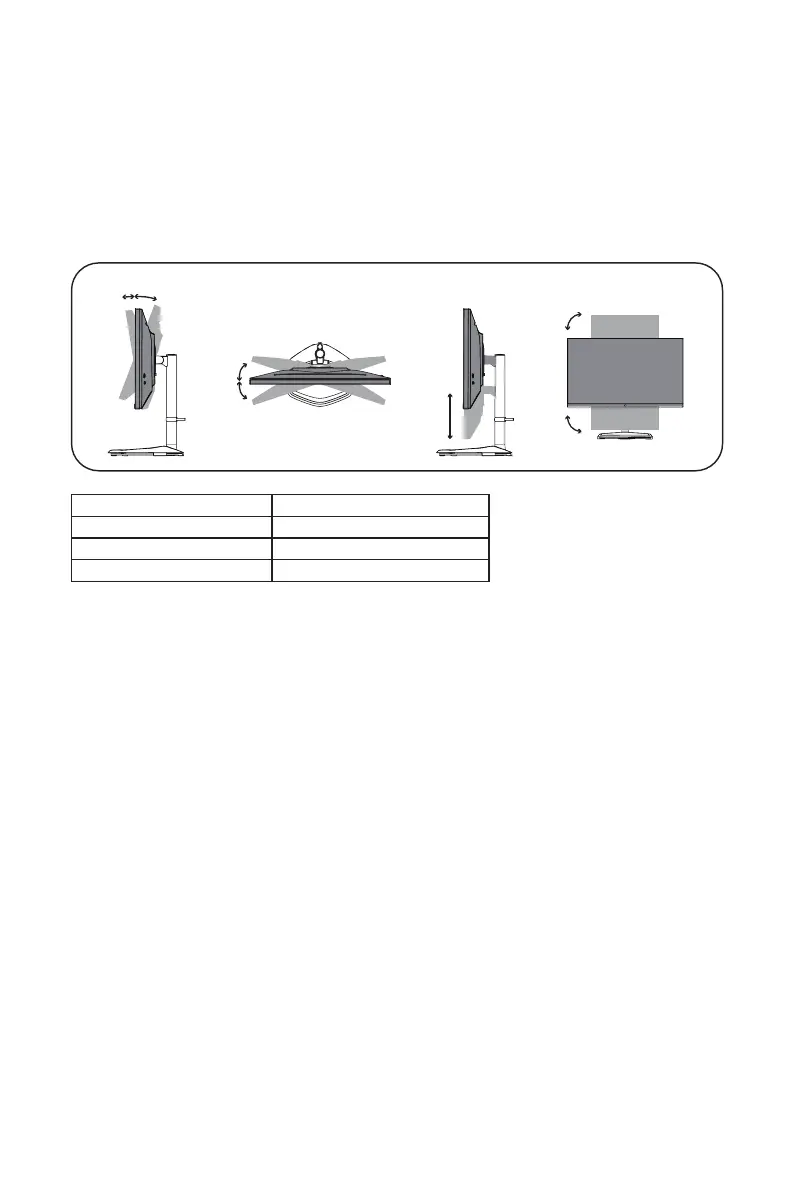
Adjusting the Monitor
z
For the best results, it is recommended to look directly at the front of the monitor and
make any adjustments as necessary.
z
Ensure that the monitor is mounted upright on the stand base.
z
When adjusting the monitor viewing angles, avoid touching the screen and hold the stand
in order to prevent it from falling over.
110mm
90°
-90°
15°
-15°
Screen Tilt -5° – 20°
Screen Swivel -15° – 15°
Height Adjustable 0 – 110 mm
Pivot -90° – 90°















 To Next Page