EasyManua.ls Logo

Cooper Security 9750 - Output Configuration

Cooper Security 9750
71 pages
Print Icon
To Next Page IconTo Next Page
To Previous Page IconTo Previous Page
Loading...
4. Programming
496478 33
To change: Key-in: Notes Default
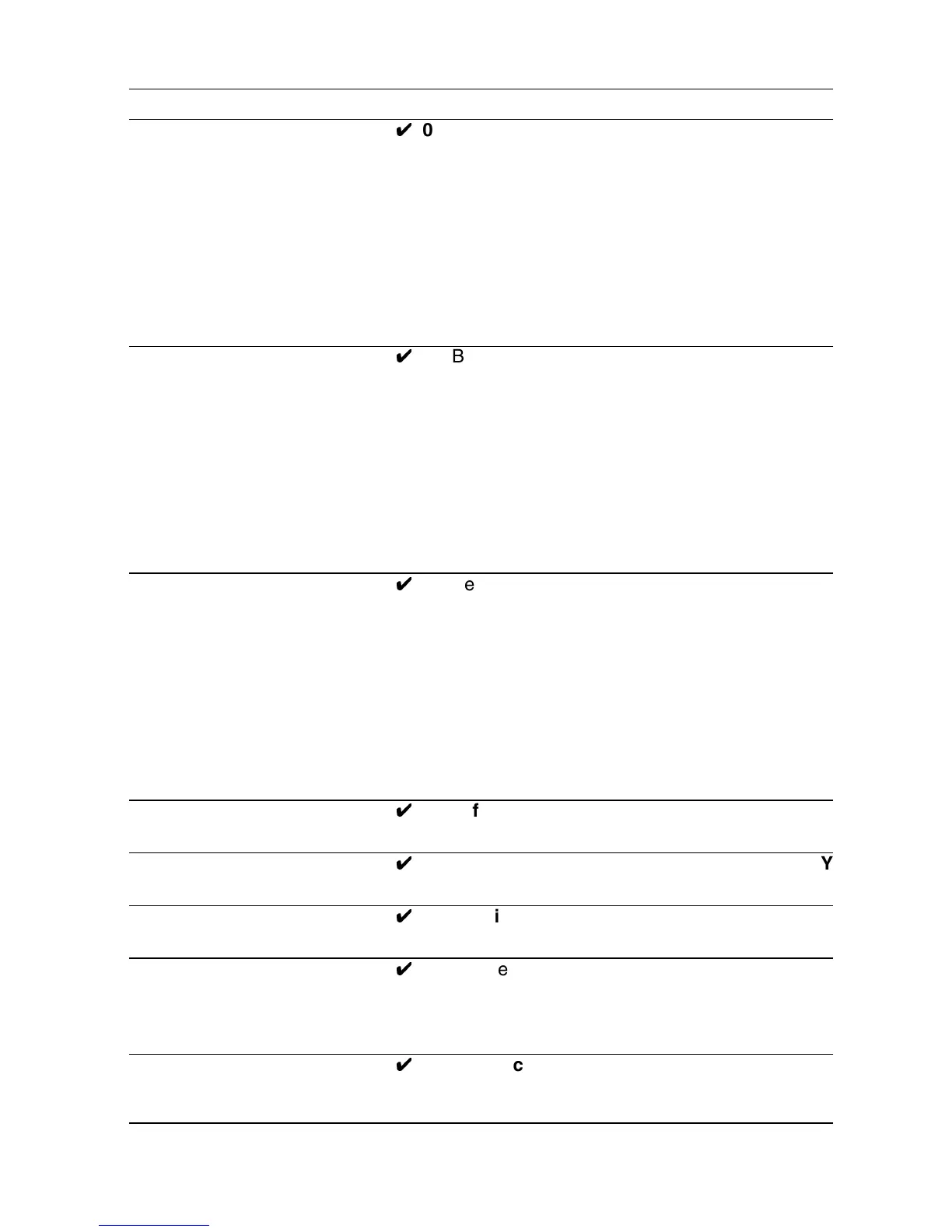
Output 1 Type, one of 81
Y
0 Bell Y
1 EE follow
2 Armed lamp
3 Set latch
4 Shock sensor reset
5 Walk test
6 Ready lamp
7 24 hour alarm
8 Strobe
9 Smoke sensor reset
Output 2 Type, one of 82
Y
0 Bell
1 EE follow
2 Armed lamp
3 Set latch
4 Shock sensor reset
5 Walk test
6 Ready lamp
7 24 hour alarm
8 Strobe Y
9 Smoke sensor reset
Output 3 Type, one of 83
Y
0 Bell
1 EE follow
2 Armed lamp
3 Set latch Y
4 Shock sensor reset
5 Walk test
6 Ready lamp
7 24 hour alarm
8 Strobe
9 Smoke sensor reset
Dual ply entry 86
Y
0 Off Y
1 On (not recommended in U.K.)
Dual key PA 87
Y
0 Off Y
(Incl. keyswitch) 1 On
Alarm confirmation 89
Y
0 Confirm off Y
1 Confirm on
Event log* 90
Y
1 View earlier events
3 View later events
X Cancel viewing
Y Toggles time/date display
Engineer Walk Test* 97
Y
Zn indication and chime operate when
cct open
Y (Clear) End walk test
* See “5. Testing”

Table of Contents

Related product manuals