PC Comissioning SoftwarePC Comissioning Software
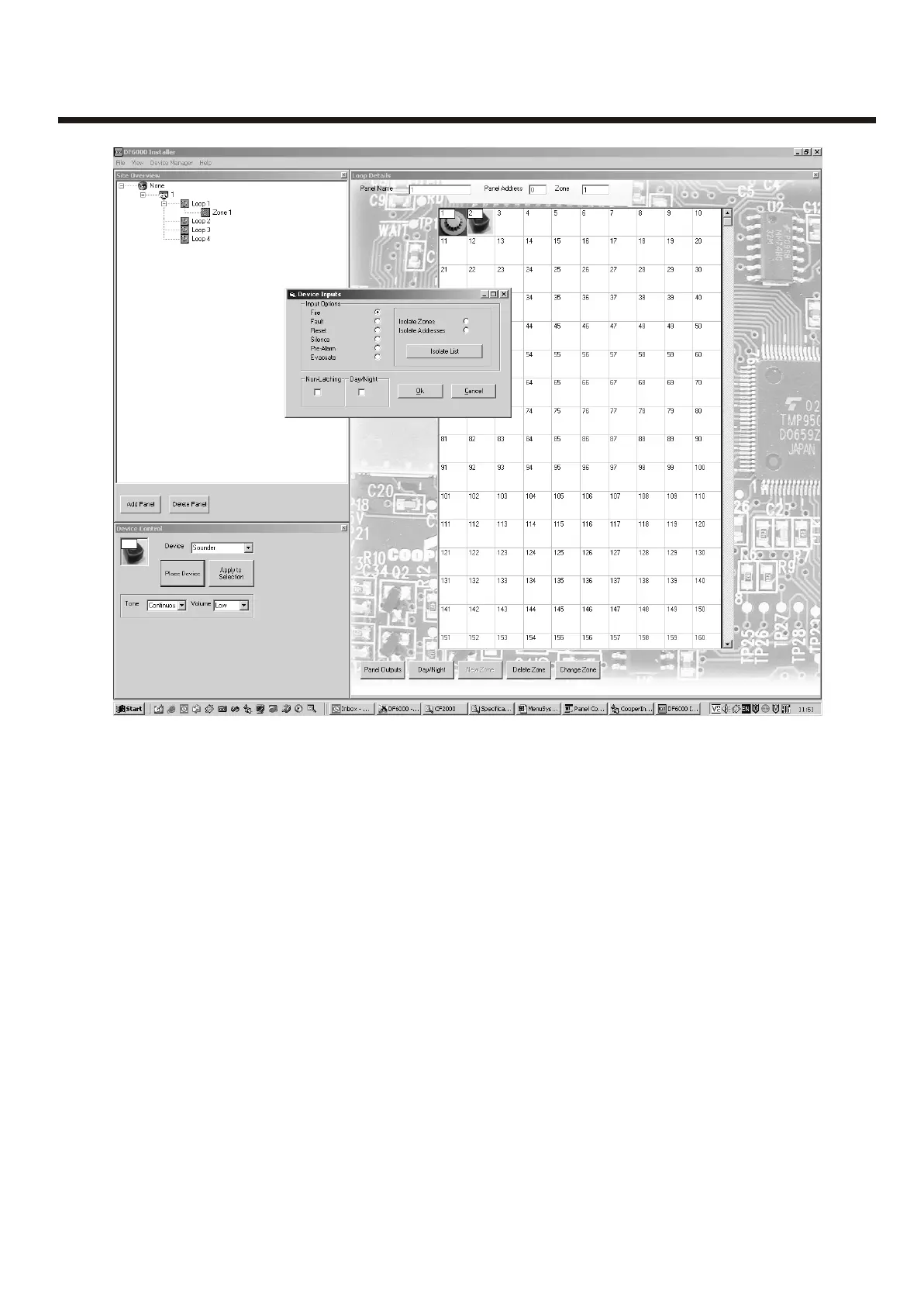
Device Input Programming
Fire -> panel reports fire from device.
Fault -> panel reports fault from device.
Reset -> panel resets.
Silence -> silence all currently active sounders.
Pre-Alarm -> panel reports pre-alarm from device.
Non-Latching-> device won't latch in alarm condition, used in conjunction with isolates.
Day / Night
devices affected :
Optical-Heat -> mode changes between heat or optoheat mode
Heat -> mode changes between Heat A1R and Heat CS
Isolate Zone / Address
user can define between zones or addresses to be isolated on activation of the device.
The isolate list button enables the user to enter upto 8 unique zones or addresses.
If non-latching has been enabled, Isolated devices can be un-isolated as the triggered device
returns to normal operation. (a call point keyswitch is an example for this application)
32



 To Next Page