Control Panel Operation
Using the Control Panel
Each Universal Source Controller provides a control panel
to make programming and operation as straightforward as
possible. To access the control panel, open the main panel
door on the front of the unit.
iCAN
DMX
485
ESC
ENT
#
1
4
789
56
2
0
3
DATA
Cooper Lighting Solutions
12:00 am
June 04, 2008
Device # 12345678
iCAN
DMX
485
DATA
The main configuration procedures within the control panel
are covered within the accompanying System Manual.
This section provides a brief overview of some common
functions.
OK
OK LINK
LINK
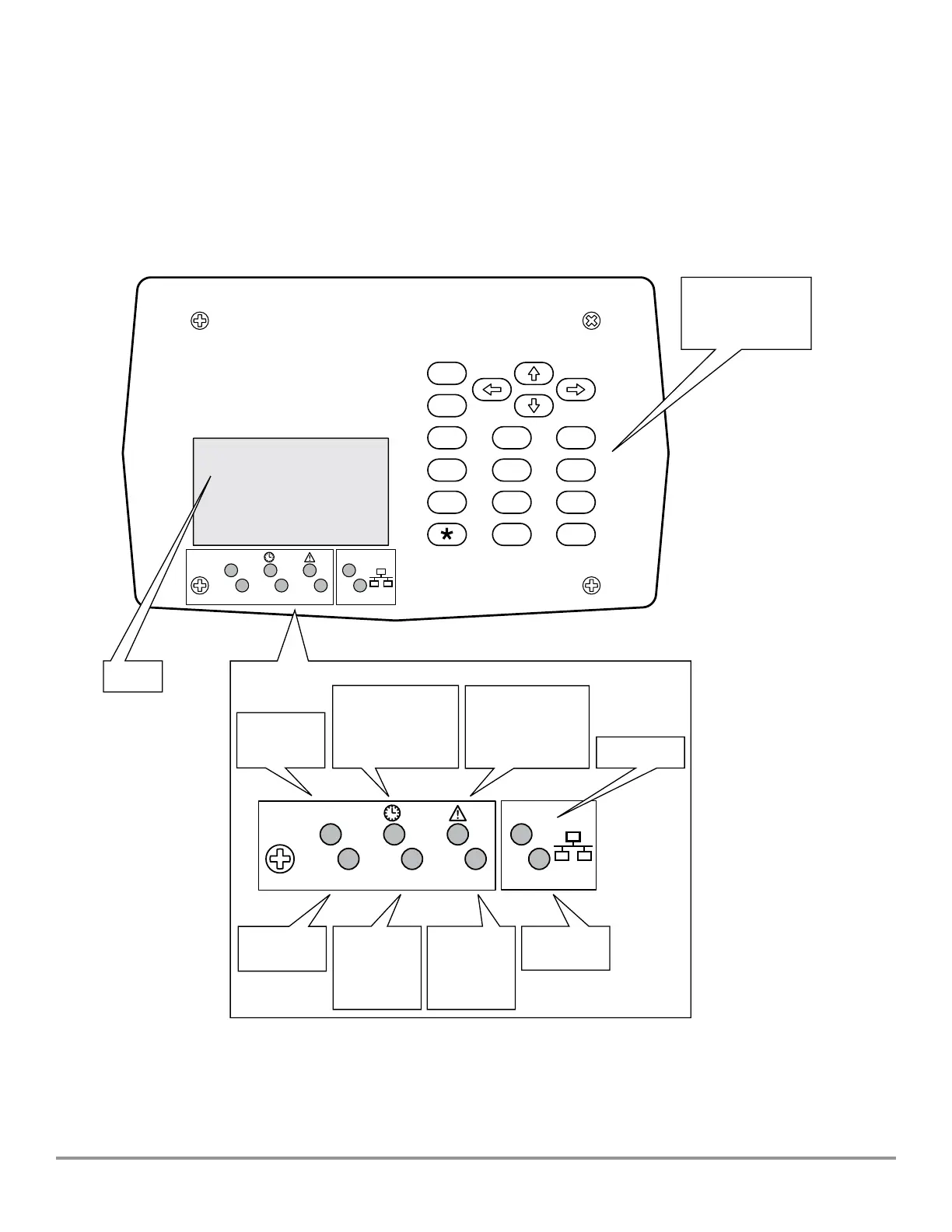
Numeric
Keypad
for Menu
Navigation
Clear Text
Display
Link and Status Indicators
Flashes Regularly
to Indicate Correct
System Operation
When ON, indicates
that the timeclock
function is enabled.
Illuminates when an error
condition occurs.The
display screen will provide
further information about
the nature of the fault
ON when Valid
Ethernet Link
Detected
Flashes when data is
present on Ethernet
link
Flashes when
data is present on
iCANbus link
Flashes when
data is present
on RS-485 link
ON when DMX link is
enabled, ashes when
data is present on
DMX link
Universal Source Controller - Feed ThruWaveLinx Wired
9850-000234-02 page 14
May 2024
www.cooperlighting.com



 To Next Page