04
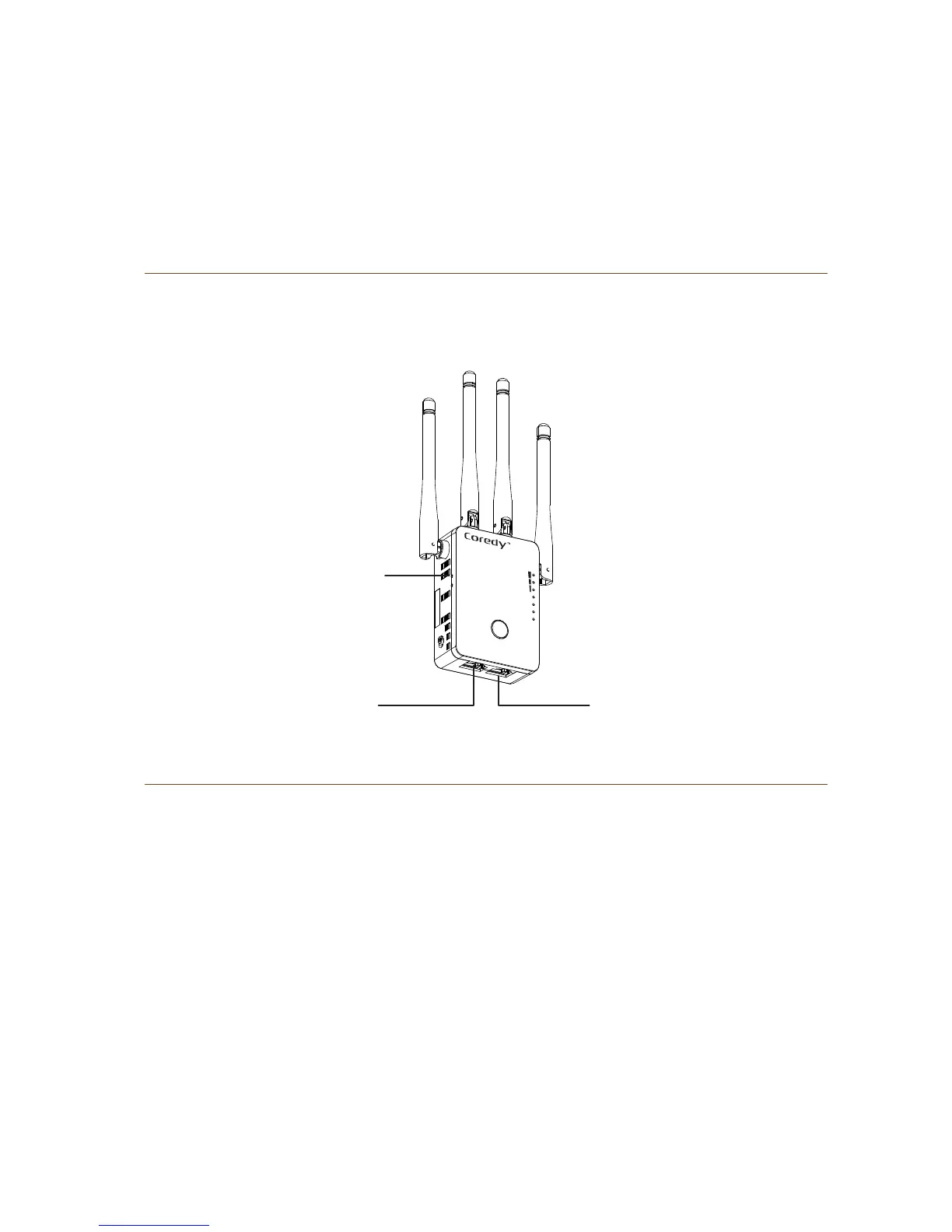
Rear Panel
Before you install your extender, familiarize yourself with its
LEDs, buttons, and port.
Some computer required to type the password (pin number
on the label) during the initial login.
Lit amber. The router is starting.
Off. Power is not supplied to the router.
LED Descriptions
Power LED
Lit amber. The router is starting.
Blinking fast. The port is sending or receiving traffic.
Off. No Ethernet cable is connected.
WAN/LAN LED
LAN
WAN/LAN
RESET
WiFi
WPS
WAN/LAN
LAN
POWER


 To Next Page