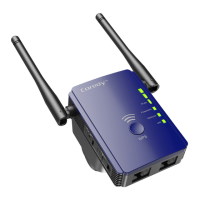
11
9.
If only the WLAN LED 1 light amber , plug the extender into
an outlet closer to the router and try again.
Keep moving the extender to outlets closer to the router
until the WLAN LED 1 , LED 2 and LED 3 light amber
simultaneously.
Note: Place the extender in an elevated location and
minimizing the number walls and ceilings between the
router and your other devices.
8.
Use the WLAN LED 1 – LED 3 to help you choose a spot
where the extender-to-router connection is optimal.
The location that you choose must be within the range of
your existing WiFi router network.
Wi-Fi Protected Setup (WPS) lets you join a secure
WiFi network without typing the network name and
password.
Note: WPS does not support WEP network security. If
you are using WEP security, follow the instructions in
Method 1: Connect with a web browser on page 8.
Method 2: Connect with WPS


 To Next Page