20
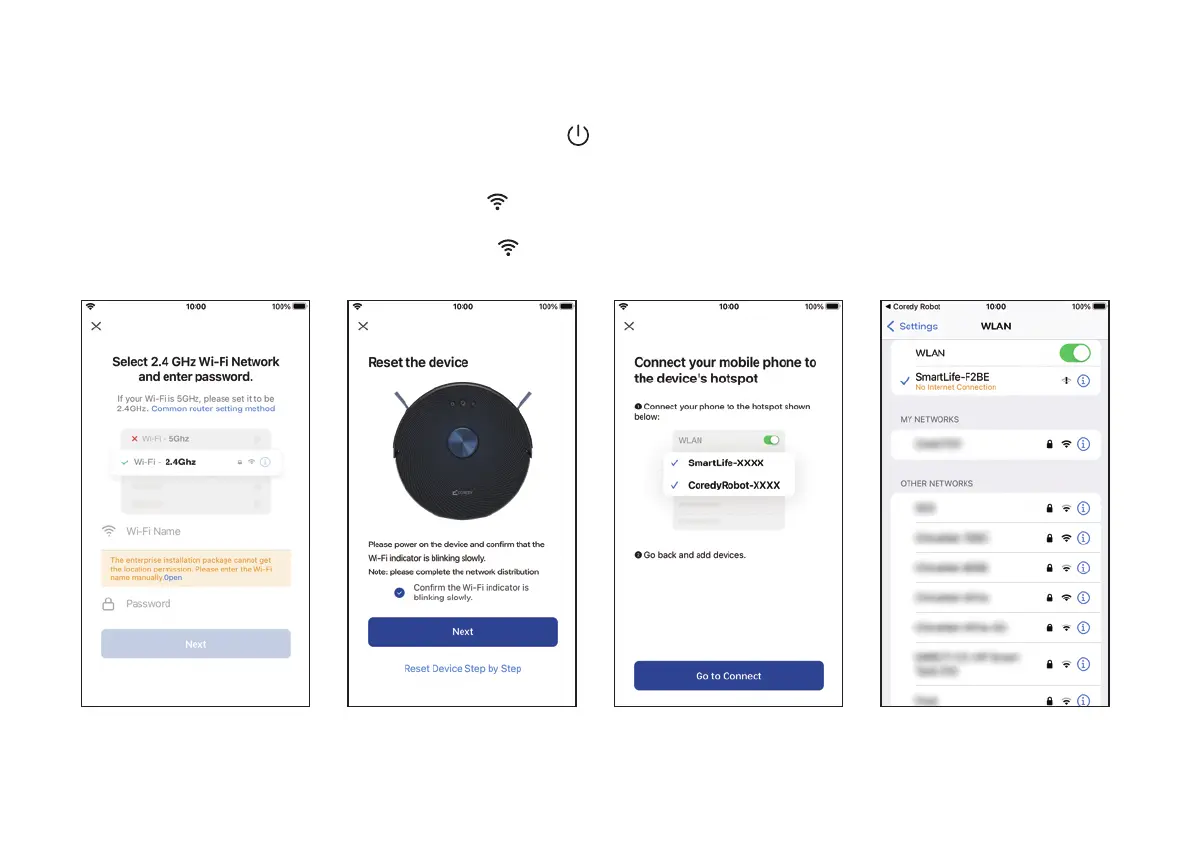
3. Wi-Fi Connection
1. Select the network you
want the Robot to use. You
need to select an exact Wi-Fi
as you use as usual. Enter
your Wi-Fi password, and
Click "Next" to connect.
2. Press the Power Button
for 3 seconds to power the
Robot, then press and hold
the Wi-Fi Button for 3
seconds. You'll hear a voice
prompt, and then slowly
flash blue, click "Next."
3. Click "Go to Connect" to connect the mobile phone to the
device's hotspot. Next, select the hotspot "SmartLife-XXXX"
to connect. Then, after successfully connecting to the hotspot,
manually switch to the Coredy Robot App.


 To Next Page