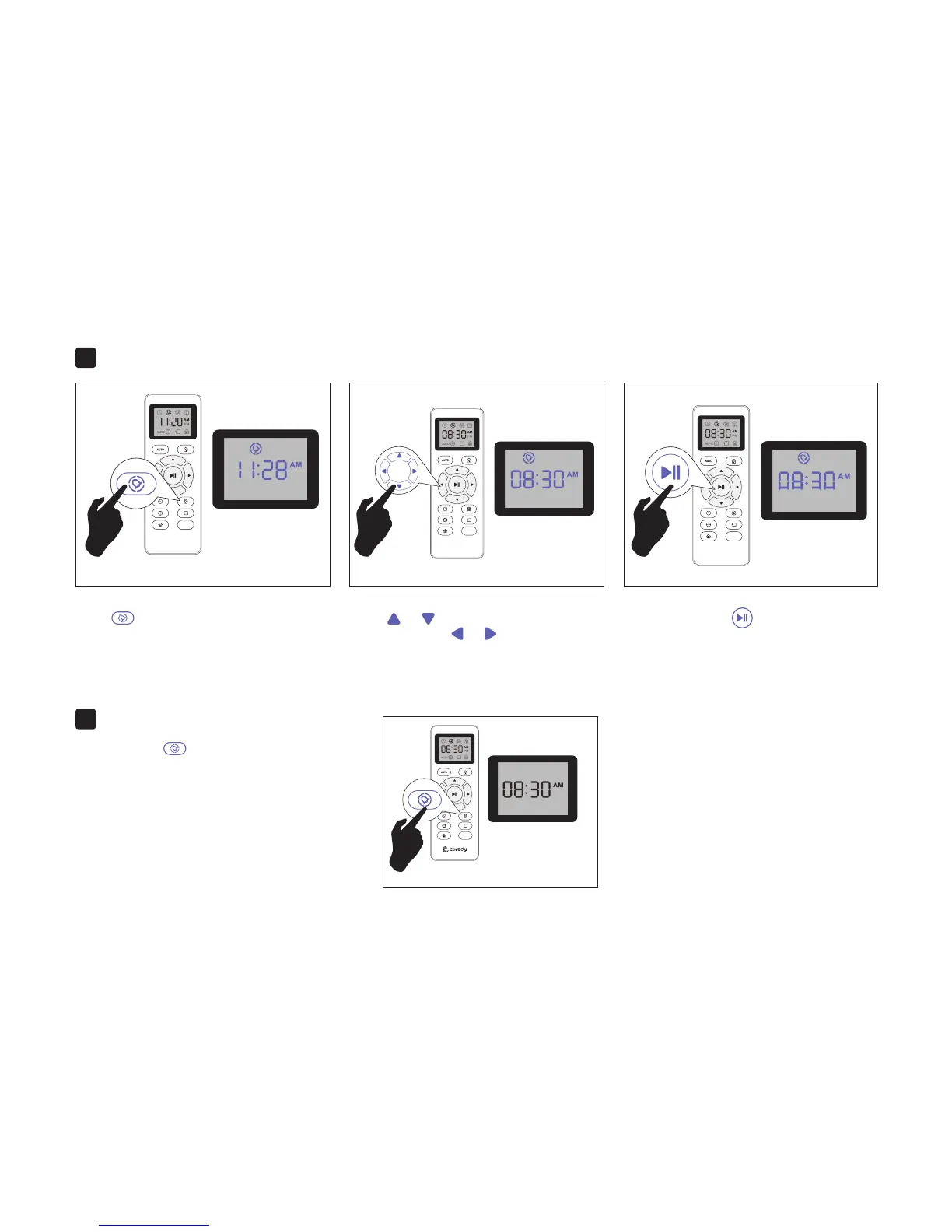
Setting Cleaning Schedule2.
Cancel the Cleaning Schedule3.
MAX
Press button on Remote Control, and
then the hour section begins to flash in the
Cleaning Schedule display setting window.
MAX
Press or button to select the desired
figures. Press the or button to select
the minute or hour section.
And then press the button, the Robot will
“BEEP” when the Cleaning Schedule setting
completed.
Press and hold button approximately 4
seconds on Remote Control, the Robot will
“BEEP” when the Cleaning Schedule process
cancel completed.
MAX
MAX
16



 To Next Page