2 Product Diagram
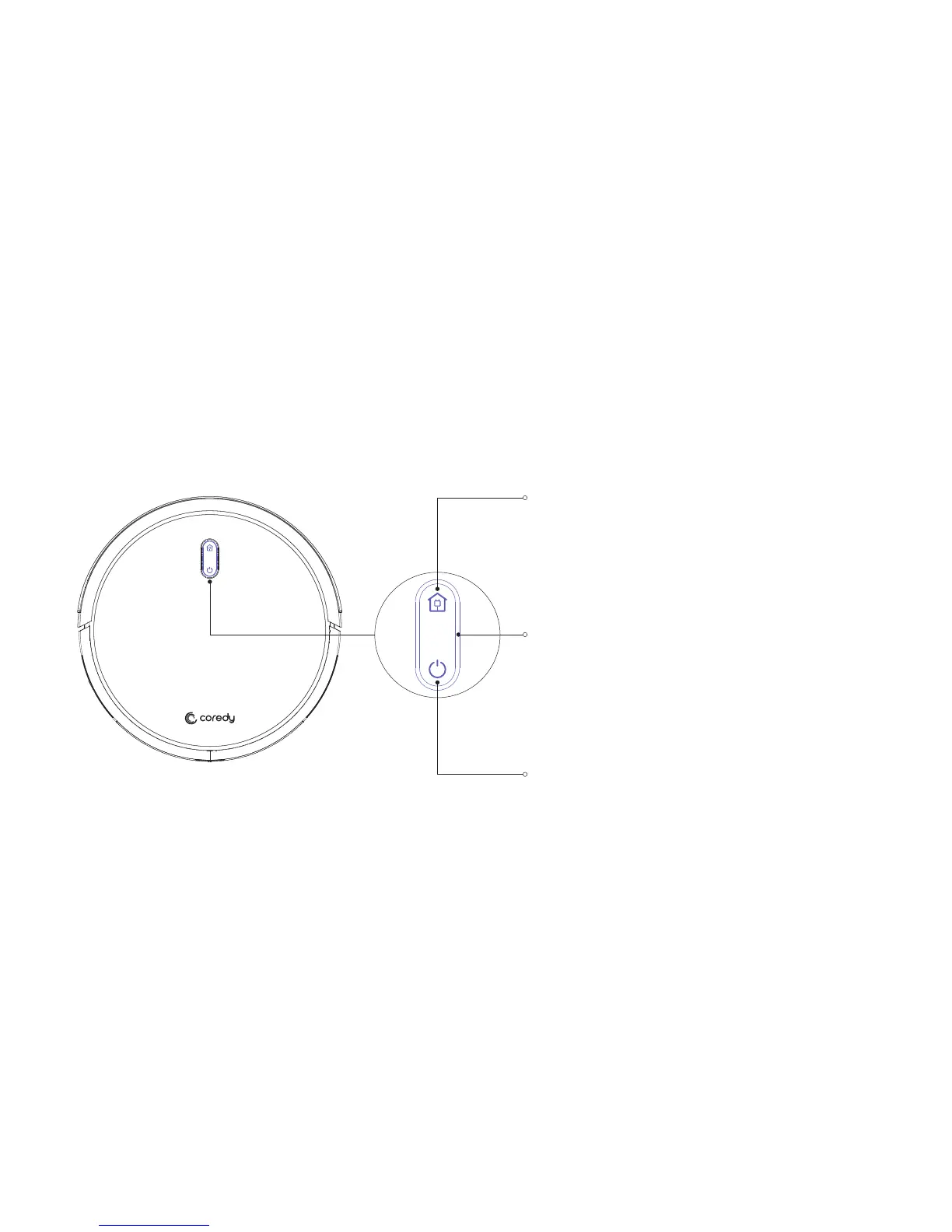
2.1 Robot
Power On / Cleaning
Press and Hold On to Power On or Power Off
Press to Start Cleaning
To send R500+ Robot back to the Charging Dock, press on
robot or press the on Remote Control.
Indicator
Dock Button
Indicator Lights Pink: Low Battery
Indicator Blinks Pink: Charging
Indicator Lights Blue: Full Charging/ Standby Mode/ Cleaning
Indicator Lights or Blinks Red: Troubleshooting
04



 To Next Page