4.5 Cleaning Robot’s Floor Tracking
Sensor
4.6 Cleaning Robot’s Extractors
Use a clean, dry microfiber or soft cotton cloth to wipe any
debris that has accumulated in the round sensor opening
on the right side of the bottom surface.
Do not spray cleaning solution directly into the sensor
opening.
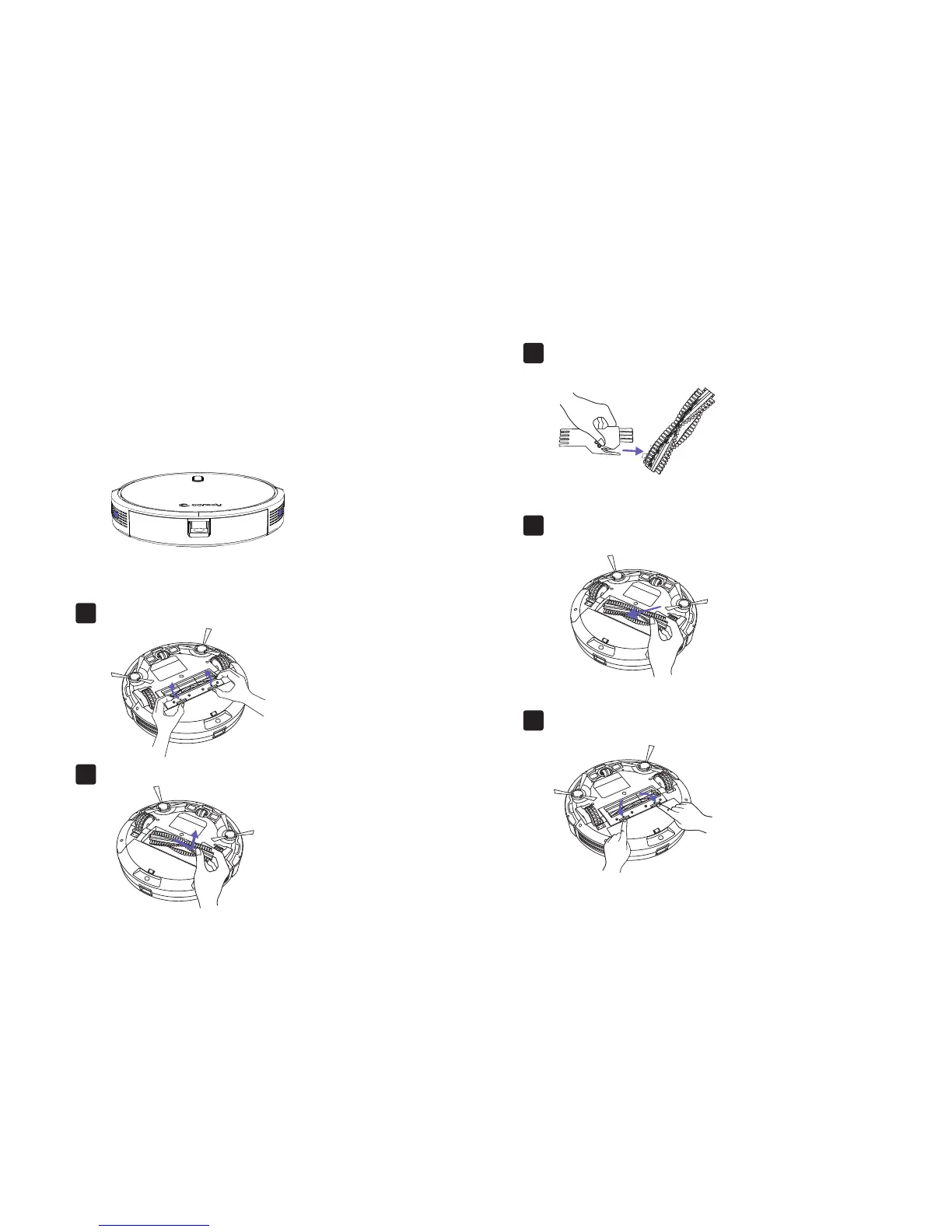
Pull on the release tabs to unlock the brush guard as shown.
1.
Lift the rolling brush to remove.
2.
Clean the rolling brush with the provided cleaning tool
or a vacuum cleaner.
3.
Reinstall the rolling brush by inserting the fixed protruding
end first and then clicking into place.
4.
Press down to snap the brush guard into place.
5.
20



 To Next Page