15
3.4 Cleaning Schedule
Coredy R500+ has cleaning schedule settings which allow you to customize when Robot cleans your home. These settings are available only
through the Remote Control.
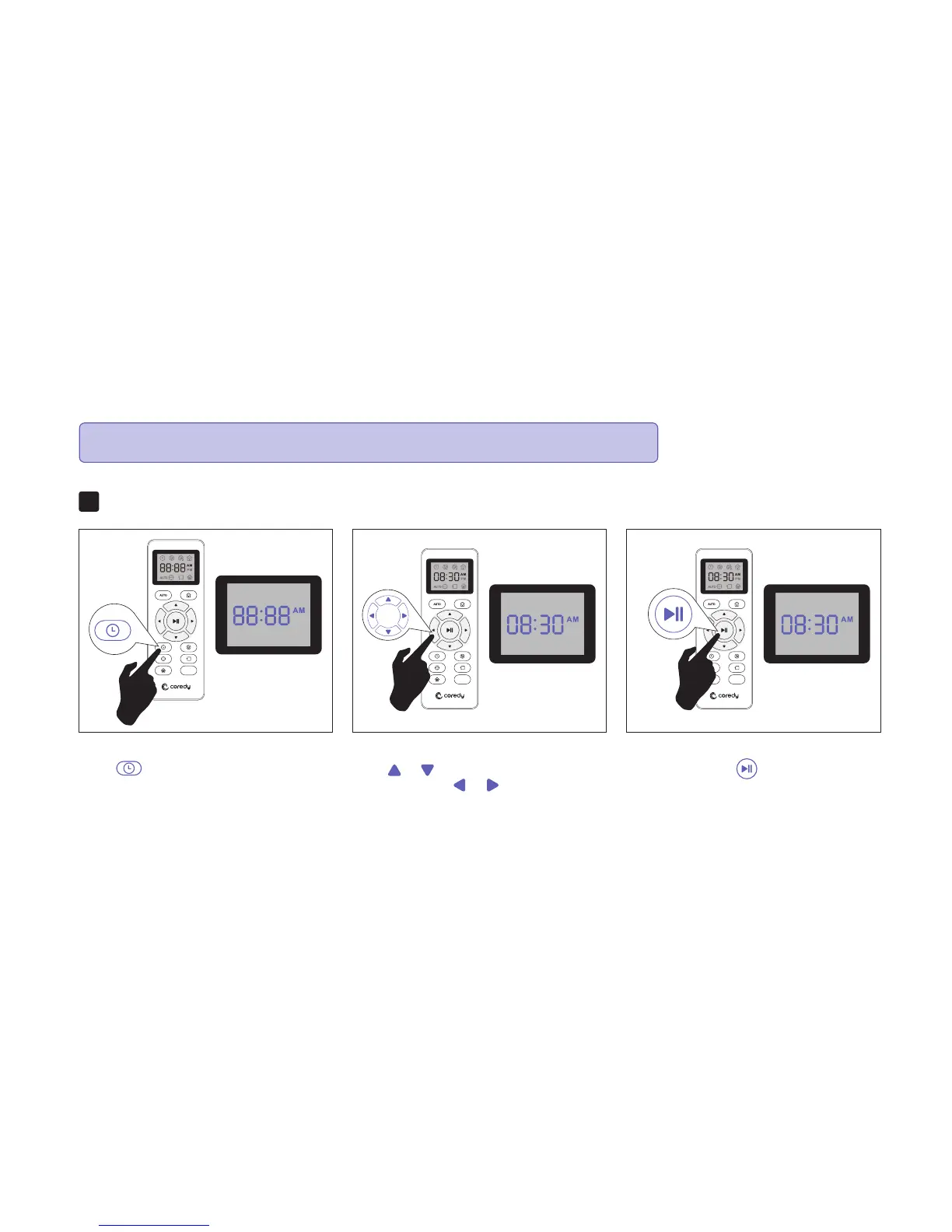
Press button on Remote Control, and
then the hour section begins to flash in the
clock display setting window.
Set the Remote Control’s Clock1.
MAX
Press or button to select the desired
figures. Press the or button to select
the minute or hour section.
And then press the button, the Robot will
“BEEP” when the clock setting completed.
MAX MAX
Note: Please make sure the Remote Control near by the Robot while setting the Clock or Schedule.



 To Next Page