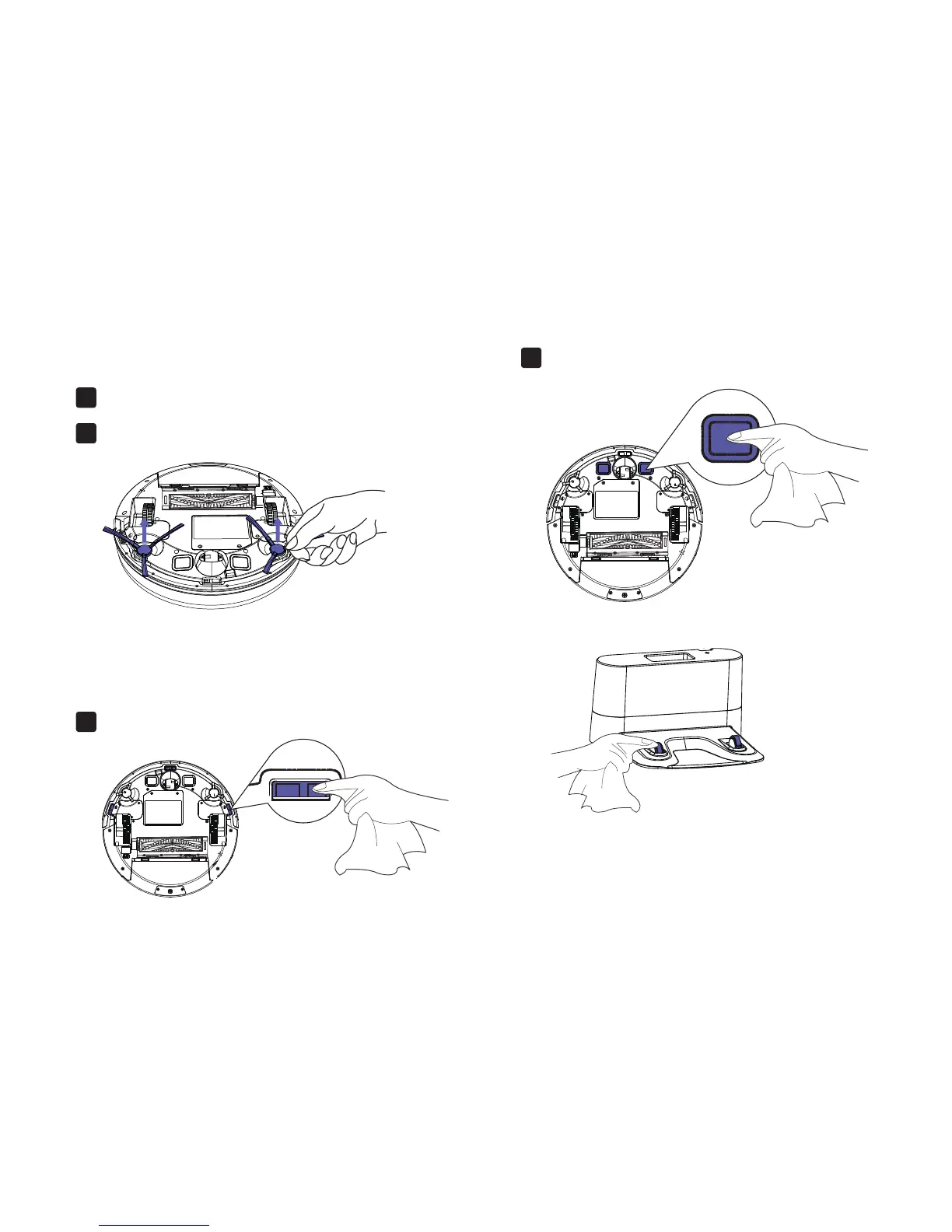
4.3 Cleaning Robot’s Side Brush
4.4 Cleaning Robot’s Cliff Sensors
and Charging Contacts
Remove the brush1.
Wipe Robot’s Cliff Sensors with a clean, dry cloth.1.
Wipe the charging contacts on Robot and the Charging
Base with a clean, dry cloth.
2.
Clean the brush and the brush post, and reinstall the brush.2.
19



 To Next Page