Use and maintenance manual – 10/2016 Rev. 3 Page 18
15.1 Program Type
The machine allows choosing among eight different Balancing Program Types as listed in table T15.1.
Table T15.1: Program types available
Weight position along the rim selection
By pushing one of the buttons showed above, on the display it will be appeared the Program Type selected.
The following LEDs will light up on the control panel depending on the Type of active Program:
• Program Type LED. See Figure F13.1 detail [12].
• Imbalance Weight Position LED. See Figure F13.1 detail [3].
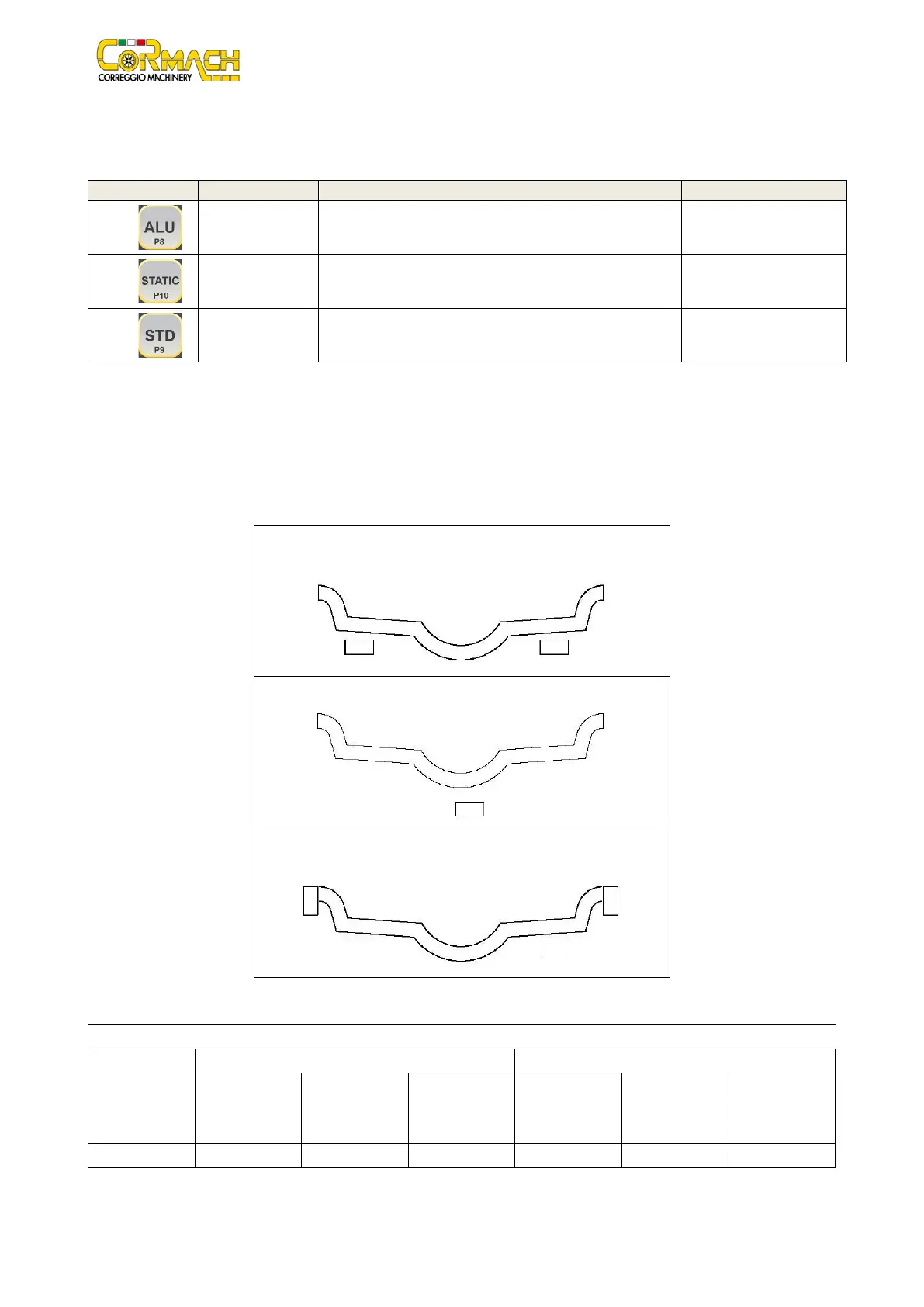
The position of the balancing weights along the section of the rim in the various Program Types is shown in figure F15.2.
Figure F15.2: Position of the weights in the various Program Types along the section of the rim
ALU 1 MOTO/QUAD
STATIC
STD QUAD
The angular position in which to apply balancing weights in the various Program Types is shown in table T15.2.
Table T15.2: Angular position of the balancing weights in the various program types
Machine data
acquisition
Internal plane External plane Static Plane Internal plane External plane Static Plane
H12 H12 H12 H12 H12 H12
In table T15.2 the symbol “H12” indicates that the angular position of the weight is at 12 o’clock.



 To Next Page